11
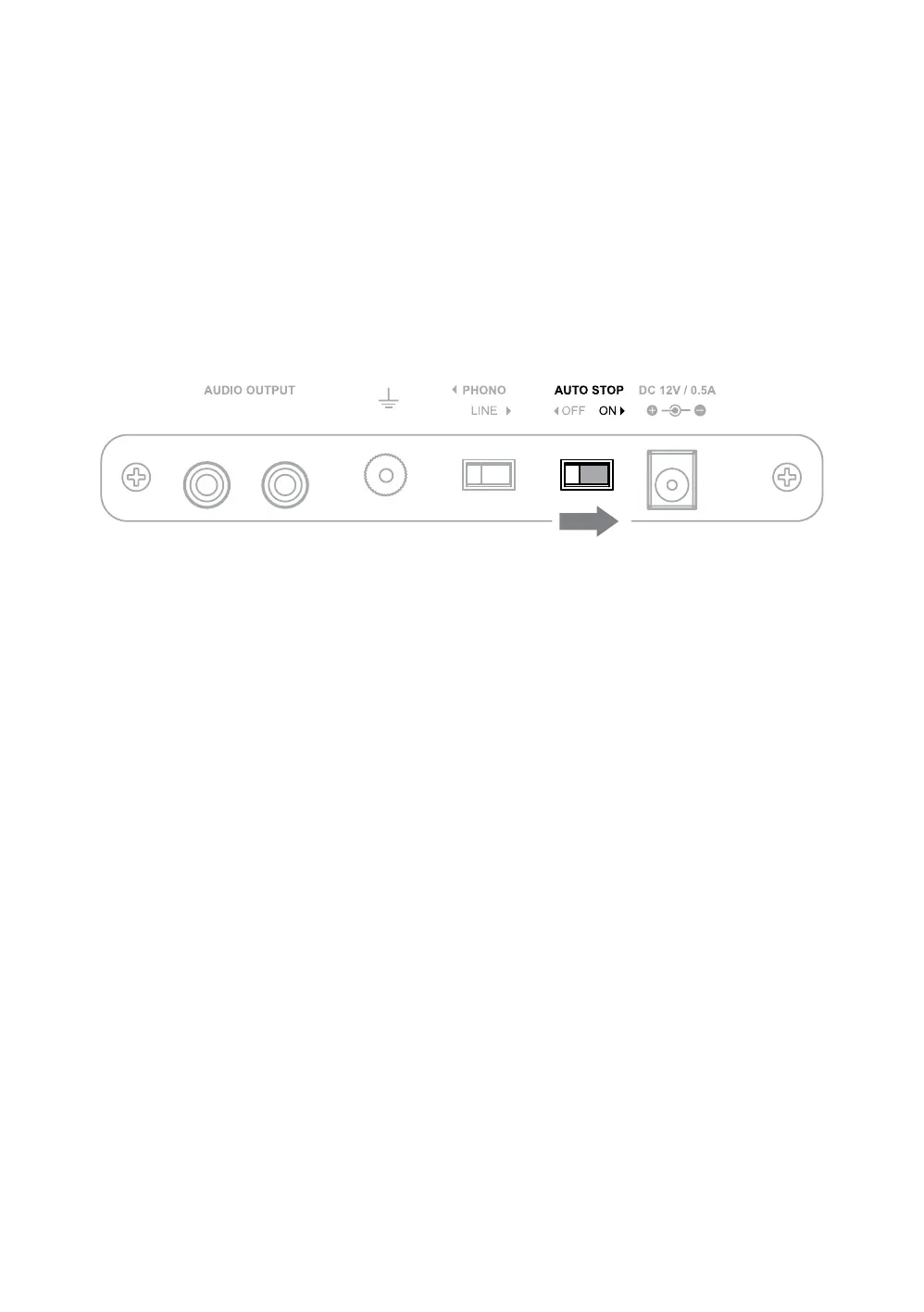
The auto stop function is designed to save the life of your stylus. At the end of a
record the platter will automatically stop spinning if auto stop is enabled. This feature
will also require that the tonearm is moved over the record before the platter will start
spinning at the selected speed.
If the auto stop switch is set to the OFF position the platter will begin spinning as
soon as the speed selection knob is set to 33 or 45. To stop the record from spinning
set the speed selection knob to the OFF position.
Auto Stop Function
First Time Setup
Note: The Auto Stop function will take approximately 30 seconds at the end of the record
before the turntable stops spinning. Due to variances in vinyl record production some
records may not work correctly with the Auto Stop function.


 To Next Page