EasyManua.ls Logo

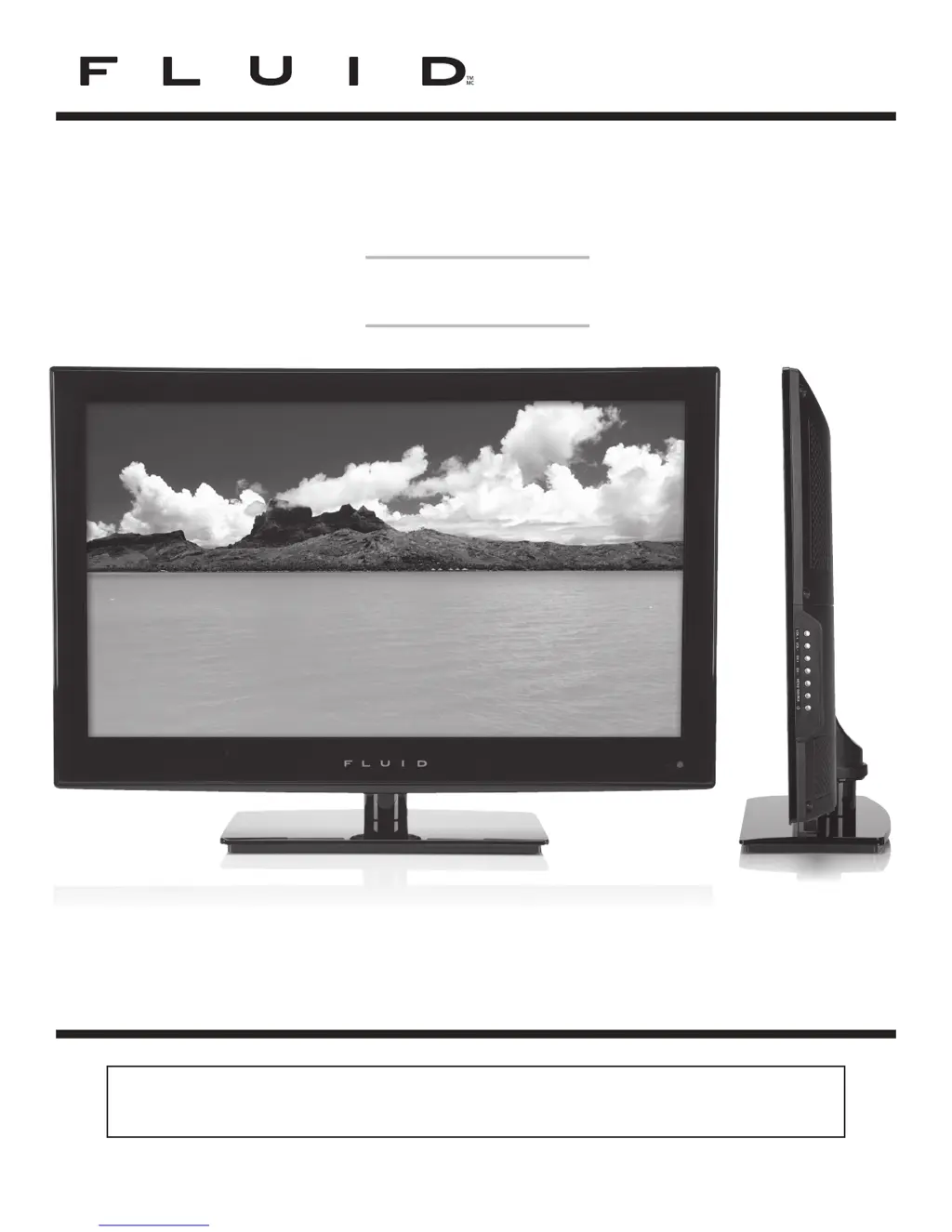
Fluid FLD2600 - User Manual

Fluid FLD2600
24 pages
Print Icon
To Next Page IconTo Next Page
Loading...
26” LED Television
FLD2600
Instruction Manual
Read all of the instructions before using this TV and keep the
manual in a safe place for future reference.
8000861

Questions and Answers

  • Z
    Zachary MurphySep 2, 2025
    How to troubleshoot poor reception on some channels on Fluid LED TV?
    • G
      gspearsSep 2, 2025
      If you're experiencing poor reception on some channels with your Fluid LED TV, try tuning to another station, as the station or cable may be experiencing problems. If the station signal is weak, reorient the antenna to receive better reception. Also, check for sources of possible interference.
  • J
    Joseph GravesAug 31, 2025
    How to fix poor color or picture on Fluid FLD2600?
    • D
      Dawn MccoyAug 31, 2025
      To fix poor color or picture quality on your Fluid LED TV, first adjust the color in the Menu option. Ensure there is sufficient distance between the TV and any VCR. Try another channel, as the problem may be with the broadcast. Check that the VIDEO cables are installed properly and activate any function to restore the brightness of the picture.
  • I
    Isaac VasquezAug 29, 2025
    Why is there no picture after switching on my Fluid FLD2600?
    • R
      Richard WashingtonAug 29, 2025
      It's normal for the picture on your Fluid LED TV to appear slowly after switching it on, as the image is muted during the product startup process. If the picture hasn't appeared after 5 minutes, please contact a service provider.
  • M
    Mariah SmithAug 27, 2025
    What does red LED indicator light mean on Fluid LED TV?
    • T
      Tammy MartinAug 28, 2025
      A red LED indicator light on your Fluid LED TV indicates that the set is in standby mode. Press either the POWER button or the Standby button on the remote control to turn it on.
  • M
    Mary BarnesAug 26, 2025
    Why does my Fluid FLD2600 LED TV power suddenly turn off?
    • J
      Jessica JenningsAug 27, 2025
      If your Fluid LED TV suddenly turns off, check if the sleep timer is set. Also, check the power control settings, as the power may be interrupted. It may also be caused by no broadcast on the tuned station.
  • K
    Kathleen WaltonAug 25, 2025
    What to do if my Fluid LED TV has no sound and picture?
    • E
      Erin FreemanAug 25, 2025
      If your Fluid LED TV has no sound and picture, ensure that the main plug is connected to a wall outlet. Also, check that you have pressed the POWER button on the front of the TV set. Finally, check the picture contrast and the brightness settings.
  • R
    Randall FieldsAug 22, 2025
    How to fix Fluid FLD2600 LED TV when the remote control does not work?
    • W
      wallenAug 22, 2025
      If the remote control for your Fluid LED TV isn't working, check for any obstructions between the remote and the TV. Ensure that the batteries are installed with the correct polarity (+/-). Also, verify that the correct remote operating mode is set (TV, VCR, etc.), and try installing new batteries.

Summary

Important Safety Instructions

Safety Guidelines Summary

Read and follow all safety and operating instructions for safe use of the appliance.

Safety Information

Electrical Safety Precautions

Covers safe connection, power, and handling of electrical components.

Physical Safety Precautions

Addresses ventilation, cleaning, placement, and avoiding physical damage to the TV.

Whats Included

Unit and Accessories Overview

Lists all items provided in the package, including the TV and accessories.

Getting Started

Front;Side View and Button Functions

Identifies front and side panel buttons and explains their basic operations.

Getting Started

Rear View Connections and Wall Mounting

Details the rear panel inputs and instructions for wall mounting the TV.

Connecting External Devices

Connecting Various Audio;Video Sources

Illustrates how to connect external devices like DVD, PC, and VCR to the TV.

Remote Control Key Functions

Identifying Remote Control Buttons

Provides a labeled diagram of the remote control and its primary functions.

Operating Your Television

Basic Operations and Picture Setup Wizard

Instructions for powering the TV on/off and initial picture mode setup.

Operating Your Television

Language Preference and Volume Adjustment

Guides on selecting display language and controlling audio volume levels.

Operating Your Television

Onscreen Display Navigation and Channel Selection

Explains menu navigation and how to switch between TV channels.

Operating Your Television

Input Source Selection and Picture Menu

Covers changing input signals and adjusting picture settings like contrast and color.

Operating Your Television

Audio and Time Menu Settings

Details sound adjustments, audio language, and sleep timer configurations.

Operating Your Television

Setup Menu Options and Advanced Settings

Covers transparency, zoom, noise reduction, and advanced picture adjustments.

Operating Your Television

Lock Menu Options and Password Management

Instructions for setting up parental controls and managing the system password.

Operating Your Television

Channel Menu Options and Signal Status

Explains channel scanning, favorites, show/hide features, and DTV signal quality.

Operating Your Television

Parental Control Features and Rating Systems

Details how to use parental controls and explains TV/movie rating systems.

Troubleshooting

Common TV Issues and Solutions

Provides remedies for common problems like no picture, blue screen, or no sound.

Troubleshooting and Maintenance

VGA Mode Issues and Cleaning Procedures

Addresses VGA specific problems and provides guidance on cleaning the screen and cabinet.

FCC Compliance Information

FCC Regulations and Statement

Information regarding FCC rules and compliance for digital devices.

Product Specifications

Technical Specifications of the LED TV

Lists key technical details like panel size, resolution, response time, and viewing angles.

Warranty Information

Limited Warranty Details

Outlines the terms and duration of the product's limited warranty.

Fluid FLD2600 Specifications

General IconGeneral
Screen Size26 inches
Display Size26 inches
Display TypeLED
Aspect Ratio16:9
Refresh Rate60 Hz
HDMI Ports2
USB Ports1
Built-in SpeakersYes
Resolution1366 x 768

Related product manuals