Vital Signs Simulator
Cardiac Functions
13
Pacemaker Signals
The Product can simulate heart signals with pacemaker
control signals. To set the waveform, amplitude, and width
of the pacemaker signal:
1. In the Home screen, push the navigation buttons to
highlight
PACE
.
2. Push to show the Pacemaker Waves screen in
the display.
3. Use the parameter selection procedure described in
the Operation section to set the parameters of the
pacemaker signal.
See the detailed specifications for the range of parameter
values.
Arrhythmia Function
The Product can simulate heart arrhythmias. To start an
ECG arrhythmia simulation:
1. In the Home screen, push the navigation buttons to
highlight
ARRY
.
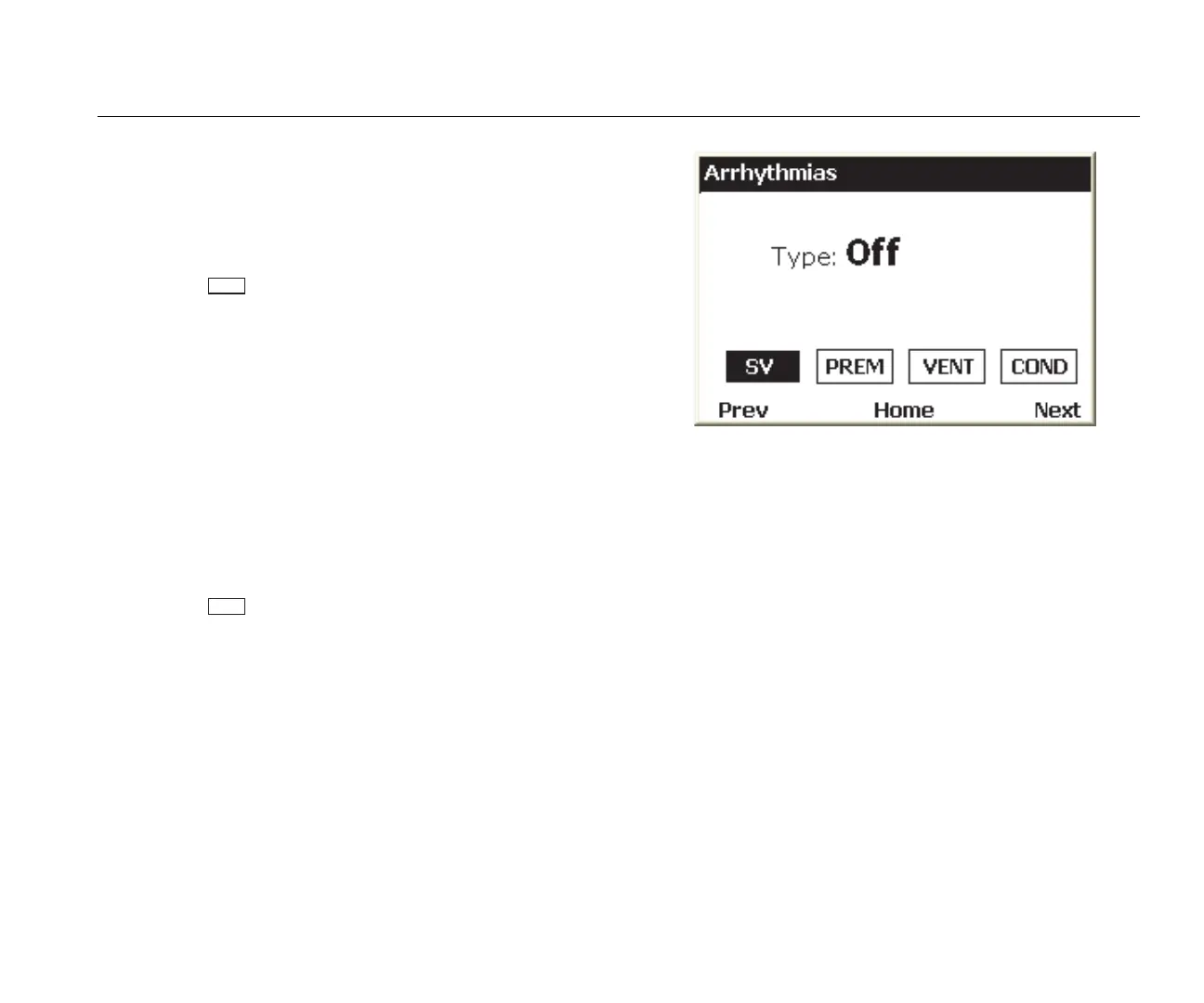
2. Push to show the Arrhythmias screen in the
display. See Figure 10.
hal009.bmp
Figure 10. Arrhythmia Screen
The simulated arrhythmias are grouped into four
categories: Supraventricular, Premature, Ventricular,
and Conduction Defect. See the specifications to learn
the arrhythmias in each group.
3. Push or to move the highlight to an arrhythmia
group icon.
4. Push .
5. Use the parameter selection procedure described in
the Operation section to set the arrhythmia.
When the type parameter has been set to an arrhythmia,
the group icon of the group the arrhythmia belongs to has
a thicker border around it.



 To Next Page