ProSim™ 2/3
Users Manual
18
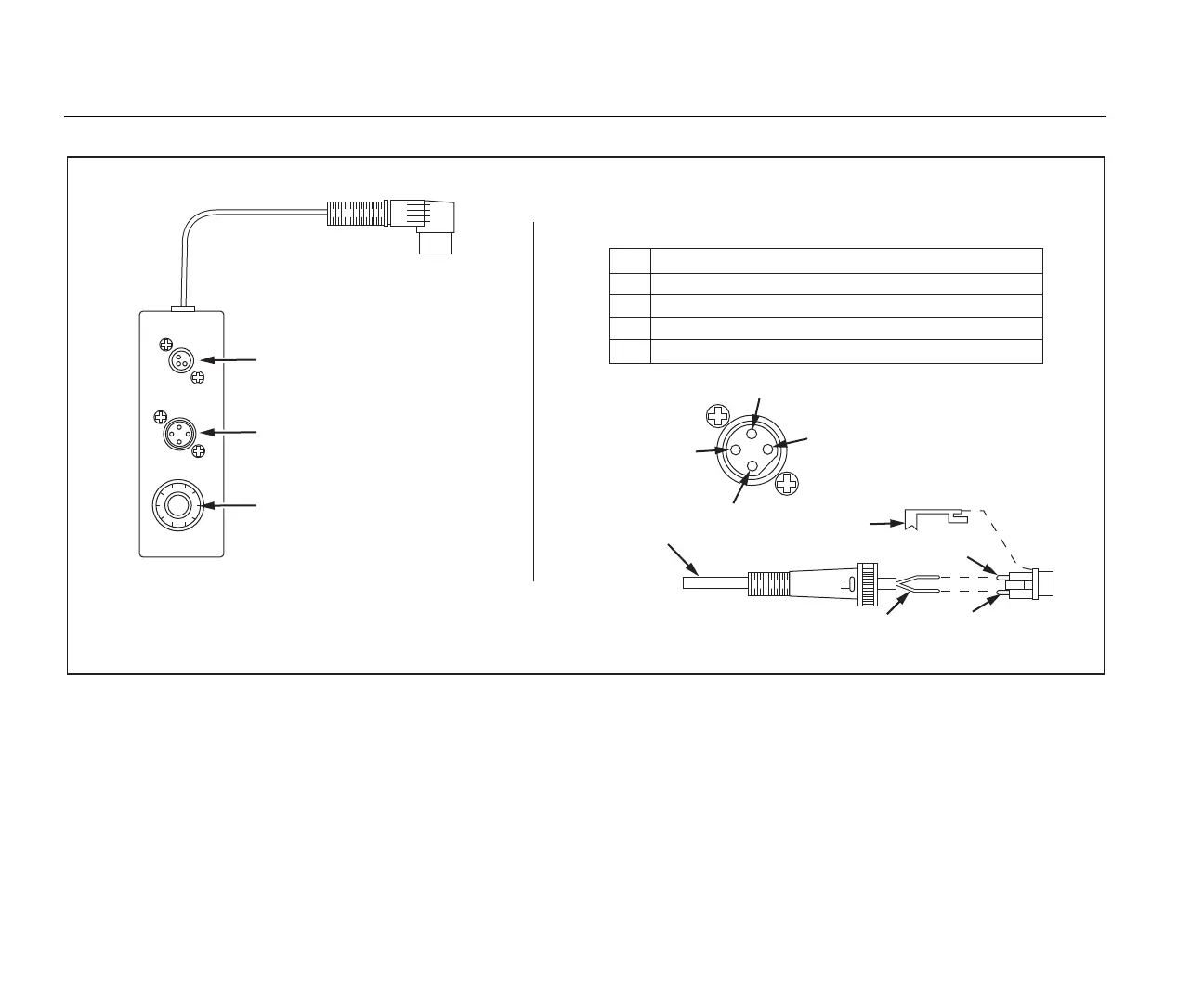
Blood temperature (BT) connector
Injectate temperature (IT)
thermistor connector
Injectate temperature (IT)
10-turn potentiometer
CI-3 Module/Cable
2
1
4
3
Pin 1
Pin 3
Crimp tube
Thermistor
end of cable
Assembly of the
General Purpose Connector
Viewed from
the top
of the C1-3
PIN
1
FUNCTION
INJECTATE THERMISTOR CONNECTION A
Injectate temperature (IT) thermistor connector
INJECTATE THERMISTOR CONNECTION B
2
NO CONNECTION
4
NO CONNECTION
3
Solder wires to
pins 1 and 3
hal010.eps
Figure 11. Cardiac Output Injectate CI-3 Adapter
For cardiac output simulation, use the supplied CI-3
adapter to connect the Product to the Device Under Test
(DUT). (see Figure 12). If necessary, use the general-
purpose connector.
To do a cardiac output test:
1. Connect the patient monitor to the cardiac output
adapter.
2. Connect the adapter to the Product (Figure 12).



 To Next Page