Fluke 434/435
Users Manual
12-2
d
e
ENTER
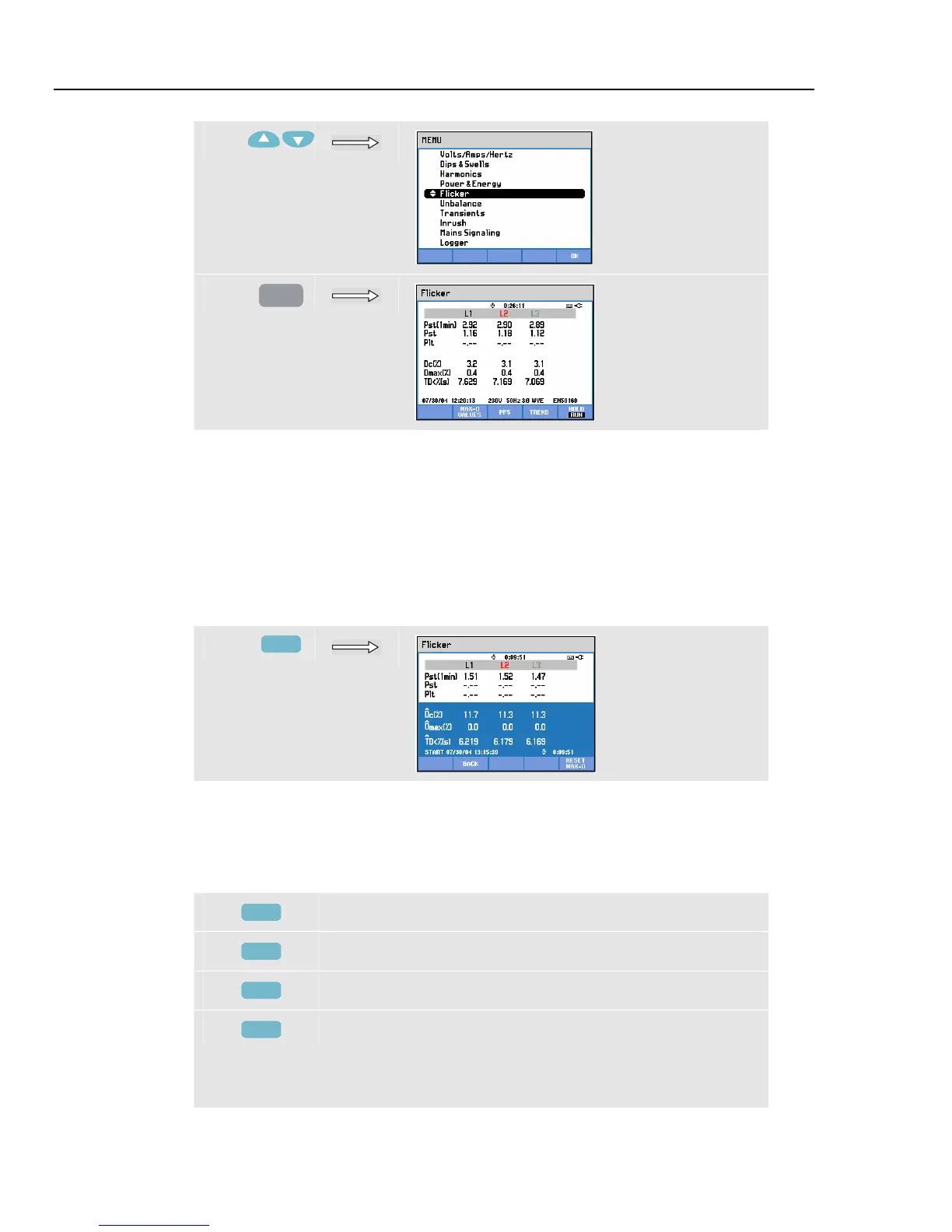
Flicker is characterized by: short term severity Pst (measured over 1 min for fast
feedback), short term severity Pst (measured over 10 min) and a long term severity Plt
(measured over 2 hours). This data and also the related D-parameters Dc, Dmax, and TD
(acc. to EN61000-3-3) are displayed in the Meter screen.
A popup Meter screen can be switched on to show the peak values of the D-parameters
that occurred during the measurement. You can reset the stored D-parameters to zero
with Function key F5.
To access the popup Meter screen with peak D-parameters:
f
F2
Pst and Plt are parameters showing flicker over a certain period of time. Momentary
flicker is shown in the PF5 submenu and is reached via Function key F3. Flicker PF5 is
displayed as a fast Trend plot.
Available function keys (popup Meter screen must be off):
F2
Activate the popup screen with maximum D-parameters.
F3
Access PF5 Trend screen.
F4
Access Trend screen. For description see below.
F5
Switch between HOLD and RUN of screen update.
Switching from HOLD to RUN invokes a menu to select
immediate (NOW) or TIMED start time which allows you
to define start and duration of the measurement.



 To Next Page