Setting up the Analyzer
USER PREFerences20
20-11
USER PREFerences
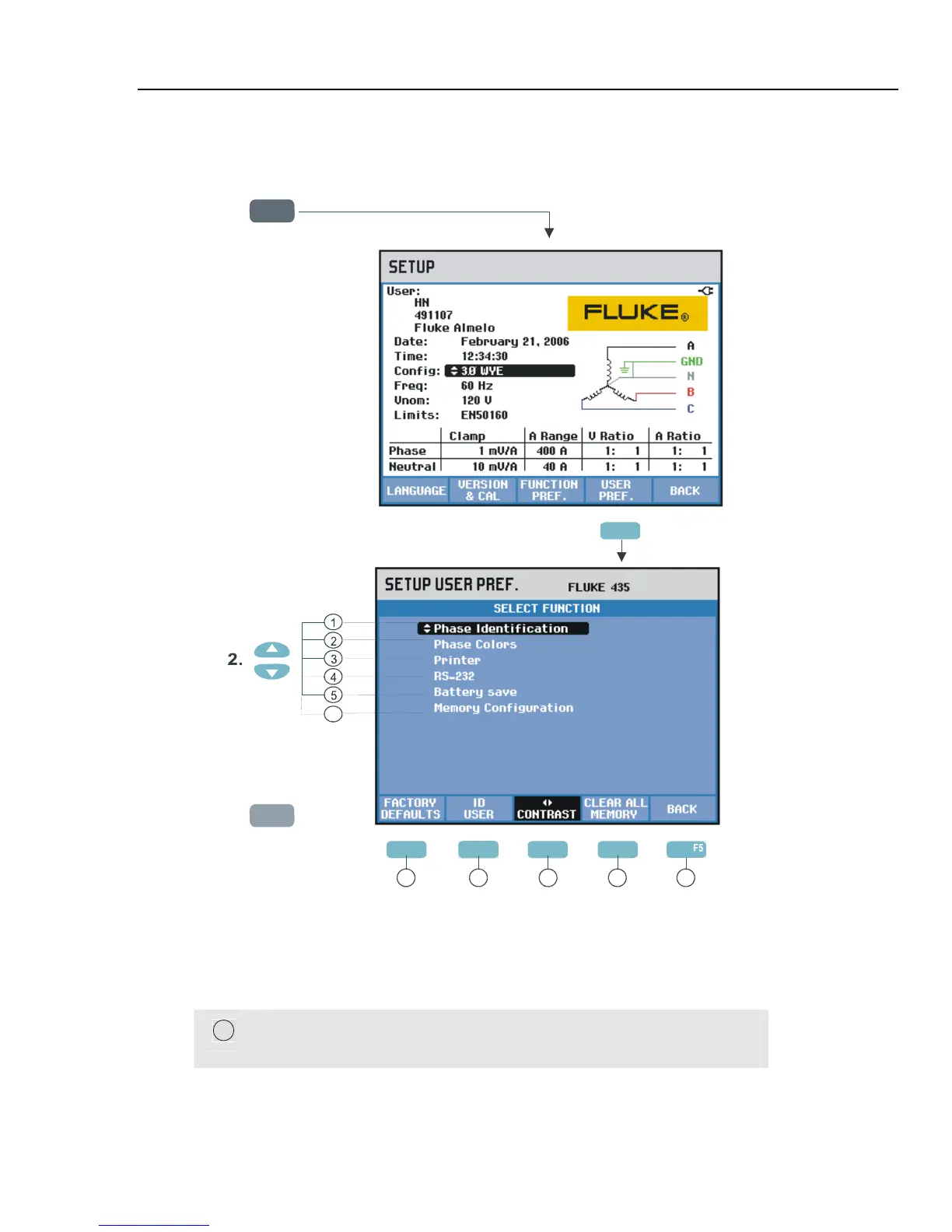
To access the USER PREFerences menus:
SETUPSETUP
1.
ENTER
3.
F1 F3 F4
7 8
9 11
F4
F2
6
F4
10
USER PREFerences allows you to customize Phase Identification and Colors, Printer and
RS-232 settings, Auto shut-off, Memory Configuration, definition of User name/address
(as shown in entry screen), and display contrast. Many menus have a function key to reset
to factory default settings.
Read below how to make adjustments:
1
Phase Identification: Use the up/down arrow keys to select A, B, C or
L1, L2, L3. Press Function key F5 – OK to confirm.



 To Next Page