Fluke 434/435
Users Manual
20-10
g
F4
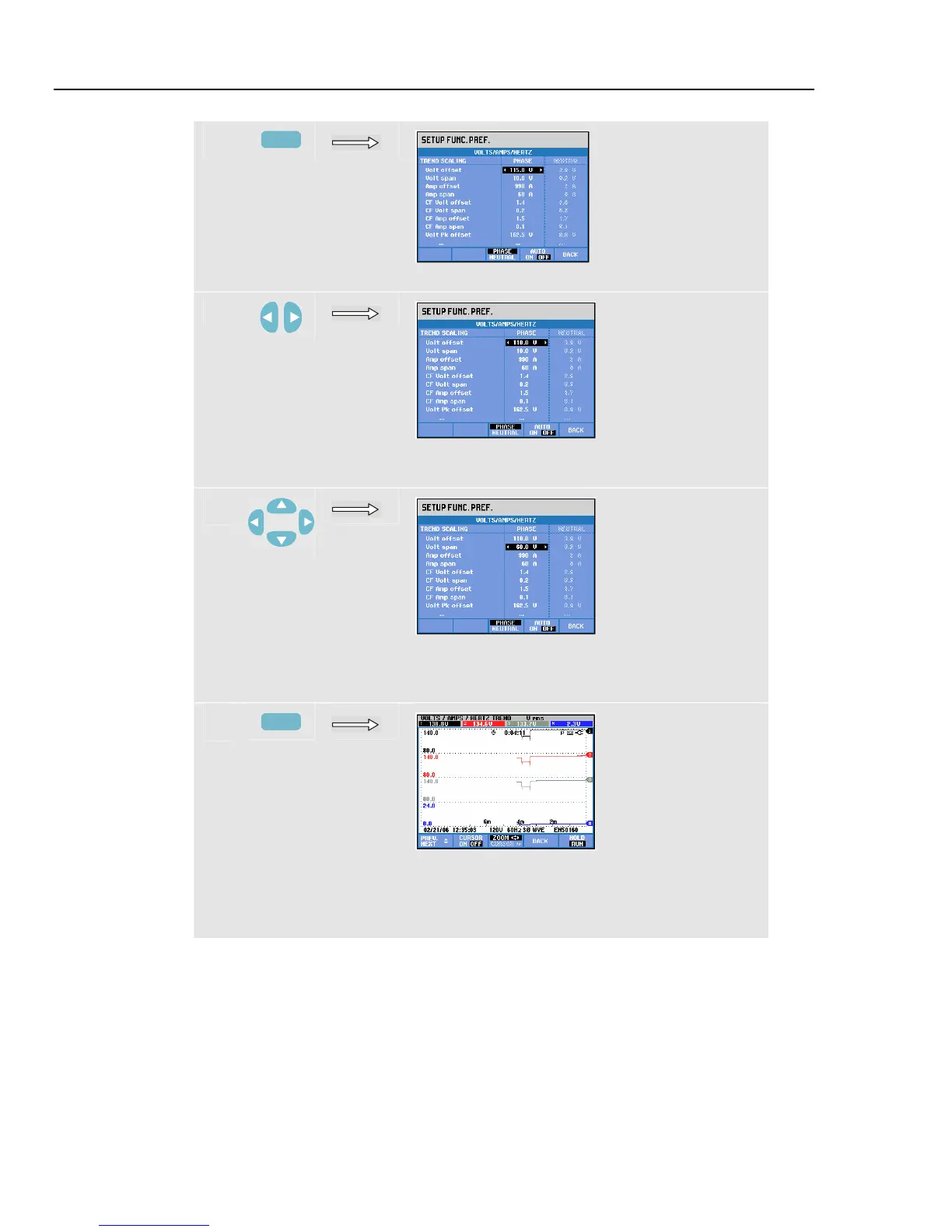
Press function key F4 to select AUTO OFF.
h
Use the left/right arrow keys to decrease the
Voltage offset.
i
Use the up/down arrow keys to select Volt span
adjustment. Use the left/right arrow keys to
increase the Voltage span.
j
F5
Press function key F5 three times to return to the
Volts/Amps/Hertz trend screen with new offset
and span. The trends are inside their window
now.
Function key F4 AUTO ON/OFF. In AUTO ON, range and offset of Trends are updated
automatically on every new acquisition to make them fit closely within the available
window. Manual adjustment is possible if Function Key F4 is set to AUTO OFF



 To Next Page