Fluke 434/435
Users Manual
17-6
trace in the viewing area. Zoom and Cursor are operated by the arrow keys and explained
in Chapter 19.
Offset and Span of the Trends are auto ranging for a good display in most cases, but they
are adjustable when required. The adjustment menu is reached via the SETUP key and
function key F3 - FUNCTION PREF. See Chapter 20, FUNCTION PREFerences
Meter screen
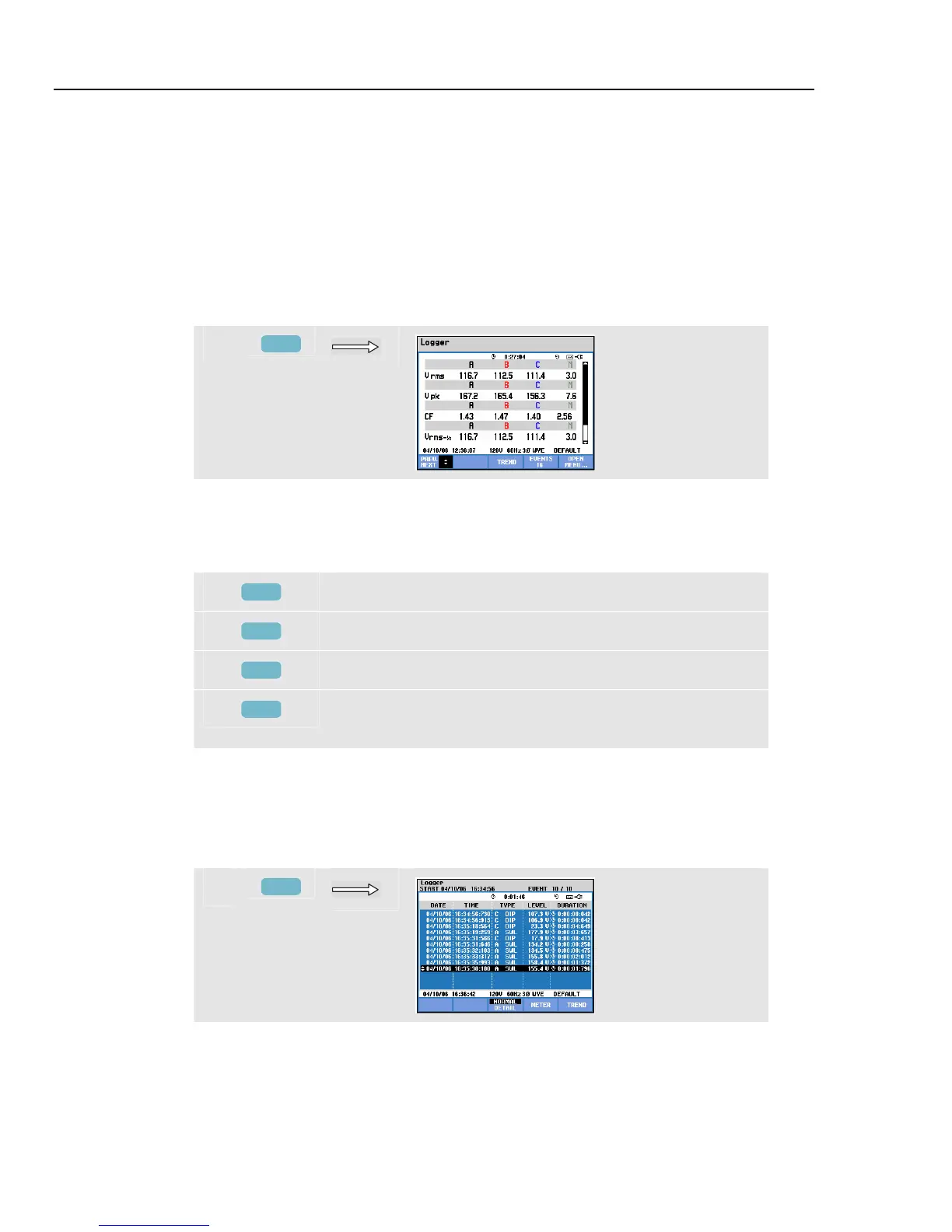
To access the Logger Meter screen:
g
F3
This screen displays all current readings of the logger function. Use up/down arrow keys
to scroll across the Meter screen.
Available function keys:
F1
Assign up/down arrow keys to scroll Meter screen up/down.
F3
Return to Trend screen.
F4
Access to Events Table.
F5
Access to menu to stop the logging, or to check available
memory space and to continue.
Events
To access the Logger Events Table screen:
h
F3
The Events table lists all threshold crossings of phase voltages. Thresholds according to
international standards or user-definable thresholds can be used. Threshold adjustment is
reached via the SETUP key and Limits. For detailed information see Chapter 20, Limits
Adjustments.



 To Next Page