Setting up the Analyzer
General Settings20
20-5
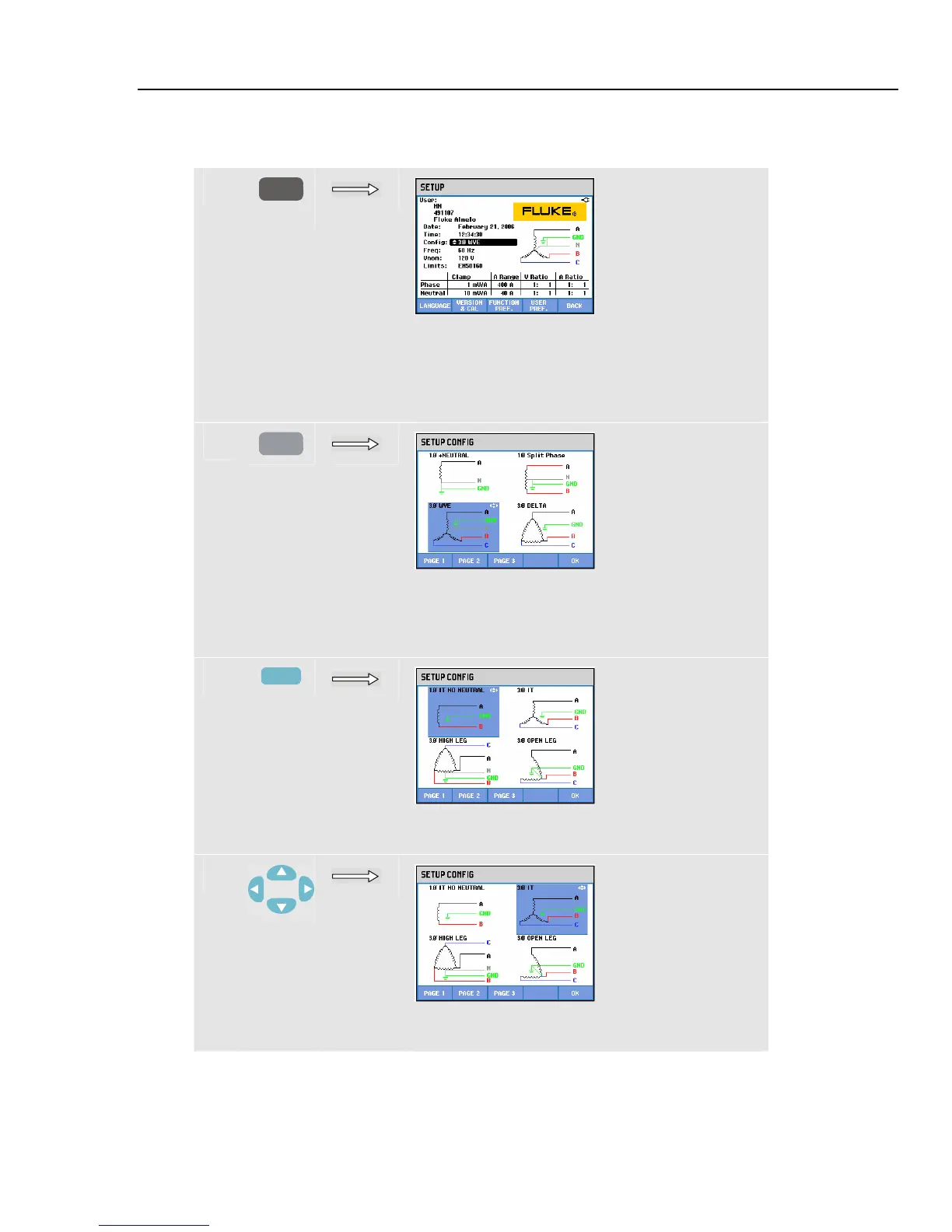
Below you will find a step-by-step example on how to change wiring configuration to 3-
phase Wye IT (IT = Interrupted Terra = Interrupted Ground).
c
SETUP
The active configuration is indicated behind
Config. Config is highlighted indicating that this
item can be adjusted when you press the ENTER
key. The belonging configuration symbol is
shown on the right side of the screen.
d
ENTER
The screen shows 4 wiring configurations; 3-
phase Wye IT configuration is not among them.
Press F2 to access a second screen with 4 other
configurations.
e
F2
The second screen incorporates 3-phase Wye IT
(3φ IT) configuration.
f
Use the arrow keys to highlight 3φ IT. Press F5 to
confirm the selection.



 To Next Page