Replacing the Battery
Replace the NiMH battery when its life becomes noticeably shorter.
To replace the battery, use the hex key provided to remove the
battery door screw. Remove and disconnect the battery. Connect and
install the new battery, running the battery wires around, not under,
the battery. Replace the battery door and secure it with the hex
screw.
Getting Service
Contact Fluke Networks for information on authorized Fluke
Networks service centers.
Accessories
The following accessories are available from Fluke Networks for the
FT500 FiberInspector Mini video microscope. Visit the Fluke Networks
website at
www.flukenetworks.com for a complete list of fiber test
equipment and accessories.
Registration
Registering your product with Fluke Networks gives you access to
valuable information on product updates, troubleshooting tips, and
other support services. To register, fill out the online registration
form on the Fluke Networks website at
www.flukenetworks.com/
registration
.
Description Fluke Networks Model
TPak
TM
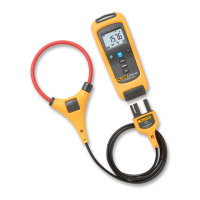
meter hanging kit
(Lets you hang the display from a
strap or a magnet.)
TPAK
Fiber Optic Cleaning Kit NFC-Kit-Case
Accessory tip set
(LC, FC, and universal 1.25 mm)
NFM110
NiMH battery pack NFM120
AC adapter/charger (100 V-240 V) Contact Fluke Networks



 To Next Page