INSTALLATION
Unpacking
If the Frequency Counter is cold, leave it in the cardboard
box until it has reached normal room temperature.
– Lift the Frequency Counter out of the box.
– Remove the polystyrene supports.
– Unpack the Frequency Counter from the plastic bag.
– Reverse the procedure to pack.
Check List
Has the Frequency Counter been damaged in transport?
If it has, file a claim with the carrier immediately, and notify
the Fluke sales & service organization to make repair or
replacement of the instrument easier.
– Check that the package contains the following items in
addition to the Frequency Counter:
– This Operators’ Manual
– A power cable with protective earth conductor
– A Battery unit if ordered *)
– An MTCXO oscillator if ordered *)
– A GPIB interface if ordered *)
– An HF-input if ordered *)
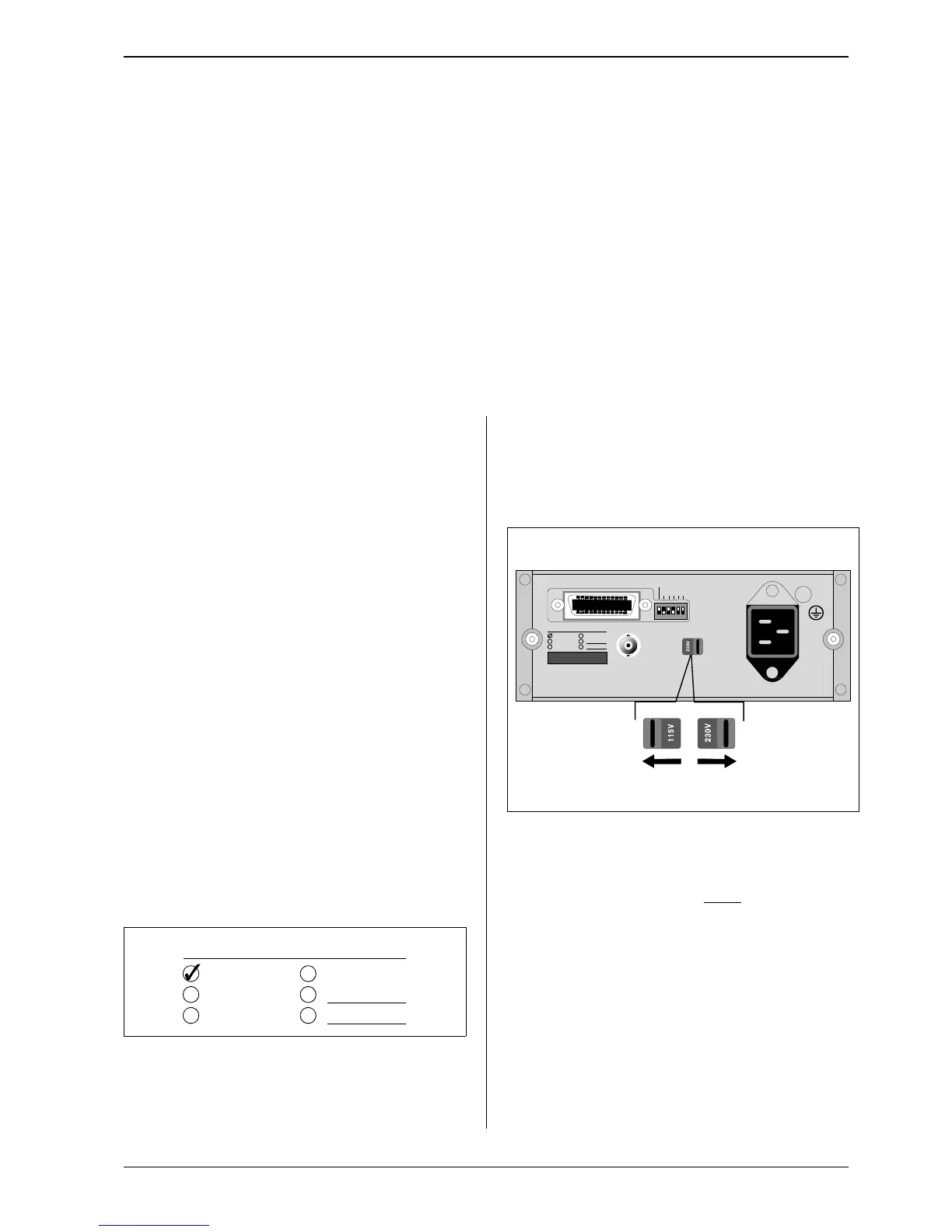
*) Labels on the rear panel indicate which options
are fitted in your Frequency Counter.
Voltage-Range Selection
Set the Frequency Counter to the local line voltage before
connecting it. As delivered the Frequency Counter may be
set to either 115 V or 230 V. The setting is indicated on the
voltage range selector on the rear panel.
If the voltage range setting is incorrect, set the selector in
accordance with the local voltage
before connecting the
power cable to the line.
Grounding
The Frequency Counter is connected to ground via a
sealed three-core power cable, which must be plugged
into a socket outlet with a protective ground terminal. No
other grounding is permitted for this Frequency Counter.
Extension cables must always have a protective ground
conductor.
PM 9604
INCLUDED OPTIONS
PM 9605
PM 9607
PM 9608B
Figure 3
Options Label on Rear Panel.



 To Next Page