EasyManua.ls Logo

Fluke PM6669 - Operating Instructions; Using the Frequency Counter

Fluke PM6669
48 pages
Print Icon
To Next Page IconTo Next Page
To Previous Page IconTo Previous Page
Loading...
OPERATING INSTRUCTIONS
Using the Frequency Counter
CONTROL OPERATING THE
CONTROL
DISPLAY GPIB-CODE
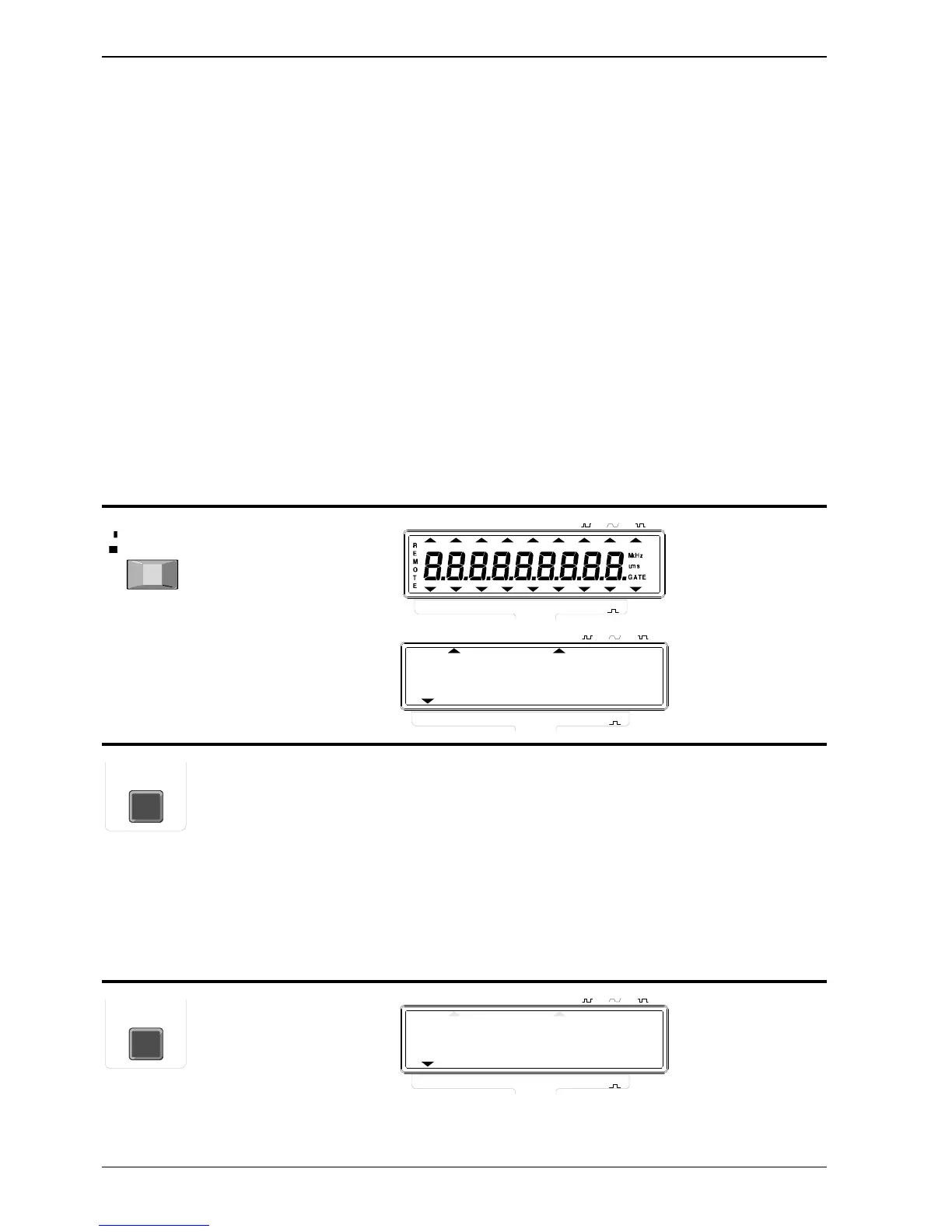
POWER, a two-position
mechanical push-button.
Pressed = ON,
Released = OFF
No control
possible but D
gives the same
settings as
after power-ON.
A short depression of
the FUNCTION key
moves the cursor in the
lower edge of the
display one step to the
right. If the key is held
depressed, the cursor
will scroll to the right
until released. When the
cursor reaches the
rightmost position it
jumps back to the
leftmost position and
continues from there.
One code for
each function,
- see below:
Move function cursor to
FREQ A
FREQ A
ON
STAND-BY
TRIGGER LEVEL A
HOLD
DISPLMEASURING TIME
10s1s0.2sSINGLE
REF
EXT
A
WIDTH
A
TOT
A
PER
A
RPM
A-A
0
FREQ
A/A
0
FREQ
B
FREQ
A
FREQ
FUNCTION
AUTO
TRIGGER LEVEL A
HOLD
DISPLMEASURING TIME
10s1s0.2sSINGLE
REF
EXT
A
WIDTH
A
TOT
A
PER
A
RPM
A-A
0
FREQ
A/A
0
FREQ
B
FREQ
A
FREQ
FUNCTION
AUTO
M
kHz
ums
GATE
0.
FUNCTION
FUNCTION
TRIGGER LEVEL A
HOLD
DISPLMEASURING TIME
10s1s0.2sSINGLE
REF
EXT
A
WIDTH
A
TOT
A
PER
A
RPM
A-A
0
FREQ
A/A
0
FREQ
B
FREQ
A
FREQ
FUNCTION
AUTO
kHz
0.
Page: 8 OPERATING INSTRUCTIONS
PM 6669 - OPERATORS MANUAL

Related product manuals