FLYBOX
Operating Instructions
REV 1.0
22
®
APR1- User Manual,
Safety Instructions and Warning Booklet
4.3 Setup
Back: conrm to go
back to previous menu.
Exit: conrm to go
directly to the main
screen.
4.3.1 Control Submenu
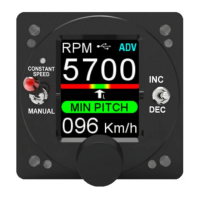
Choose the desired working mode between CSPD, ADV,
ADV+.
- CSPD > Constant Speed Mode
This function is available in all 4 APR1 models.
The instrument operates semi-automatically and requires
pilot action to change the target rpm. In this mode the
aircraft speed and MAP value are ignored even if your
model is an -M- and the Speed/RPM and MAP/RPM
curves have been set by your installer. When the CSPD
mode is set, the maximum take-o revs are automatically
set at the instrument power-up.
CAUTION: In CSPD Mode, the pilot must remember to set
the appropriate RPMs for each phase of ight as in a
traditional semi-automatic constant RPM controller, such
as the Flybox PR1-P model.


 To Next Page