To restore the parameters, put the le on the pen drive,
choose and conrm "Restore".
NOTE: The USB stick must be free from any le except for
the Restore le.
4.6 Logger
The Logger can be useful for storing ight data on the USB
pen drive, for example to ask for assistance in case of
problems. The data will be stored at 10 Hz samples and
written on a le with some information of the instrument
that generated them.
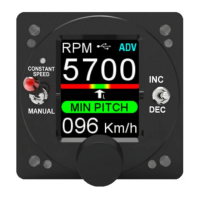
When the USB ash drive is plugged-in to the device a
white icon will appear on the display indicating that the
ash drive is connected.
Select
“Restore” to
proceed
Message
during
Restoring
Message
when
nished
FLYBOX
Operating Instructions
REV 1.0
34
®
APR1- User Manual,
Safety Instructions and Warning Booklet
Push now the knob to reboot the software with the
updated parameters.


 To Next Page