FLYBOX
General Suggestions
REV 1.0
39
®
APR1- User Manual,
Safety Instructions and Warning Booklet
CAUTION: What to do if you nd that the controller is
not adjusting thr RPMs.
If you nd that the set RPM is not being maintained, rst
check that you have enough MAP to achieve the desired
target RPM. You may have a small open throttle and a
high RPM setting. If not, you need to check that both the
controller and the propeller are working properly. You can
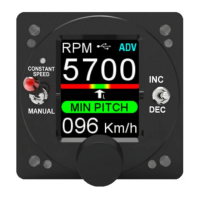
do this by setting the operating mode selector to Manual
and increasing the RPM by ipping the right switch (up to
increase, down to decrease RPM). If the RPM does not
change, without handling the throttle, then for some
reason the pitch of the blades is not changing and you will
need to verify why after landing.
If not, i.e., if the RPM changes with the INC/DEC switch,
then the governor electronics may be faulty and you will
need to call your service technician.
NOTE: The internal safety circuit oers a by-pass of the
electronics so that in the event of a fault and if there are no
problems in the cables or hub, you will always be able to
position the pitch so that you can reach the landing. Don't
take o again if you haven't xed the fault rst.
Remember that when in “constant speed”, in addition to
turning the knob, you can also change the target RPMs
with the INC/DEC switch and by other means (if your
installer has provided them). See Chapter 4.3.2 for more
information.
In manual position, remember to set the maximum RPM
especially on landing as well as takeo. You may need to
go around or do a touch & go and you will end up with all
the RPM and power you need.


 To Next Page