Connect Inputs and Outputs
Connect Analog Inputs
Sensors
The following sensor types can be connected to the analog inputs of the RTU:
• passive sensors, that get power supply from the RTU, and
• active sensors that have their own power supply.
The sensors should deliver 4–20 mA current. Voltage drop is 8V.
General instruction
Follow these steps to connect analog inputs.
Table 4
Step Action
1 Connect the analog inputs according to
• Connection drawings, and
• Terminals
2 Connect the functional earth (ground).
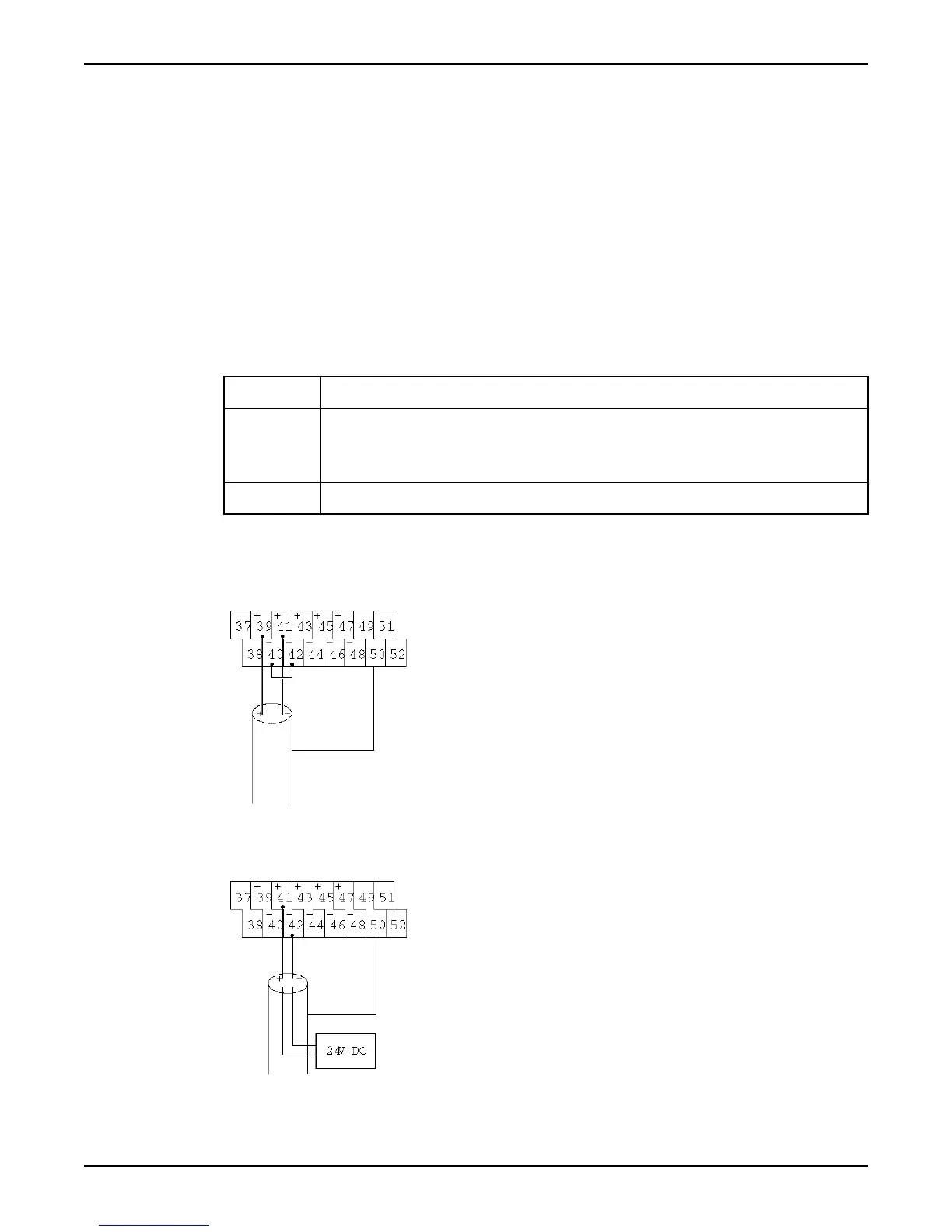
Connection drawings
These are the connection drawings for analog inputs.
Passive sensor:
Figure 6
Active sensor:
Figure 7
Connect Inputs and Outputs
Hardware for APP700 and APX700 Installation 11



 To Next Page