Voltage supply
The outputs do not deliver any voltage for intermediate relays or similar equipment. This
supply must be taken from an external source.
Connect Remote I/O
Connect a SIOX bus
Follow these steps to connect a SIOX bus.
Table 9
Step Action
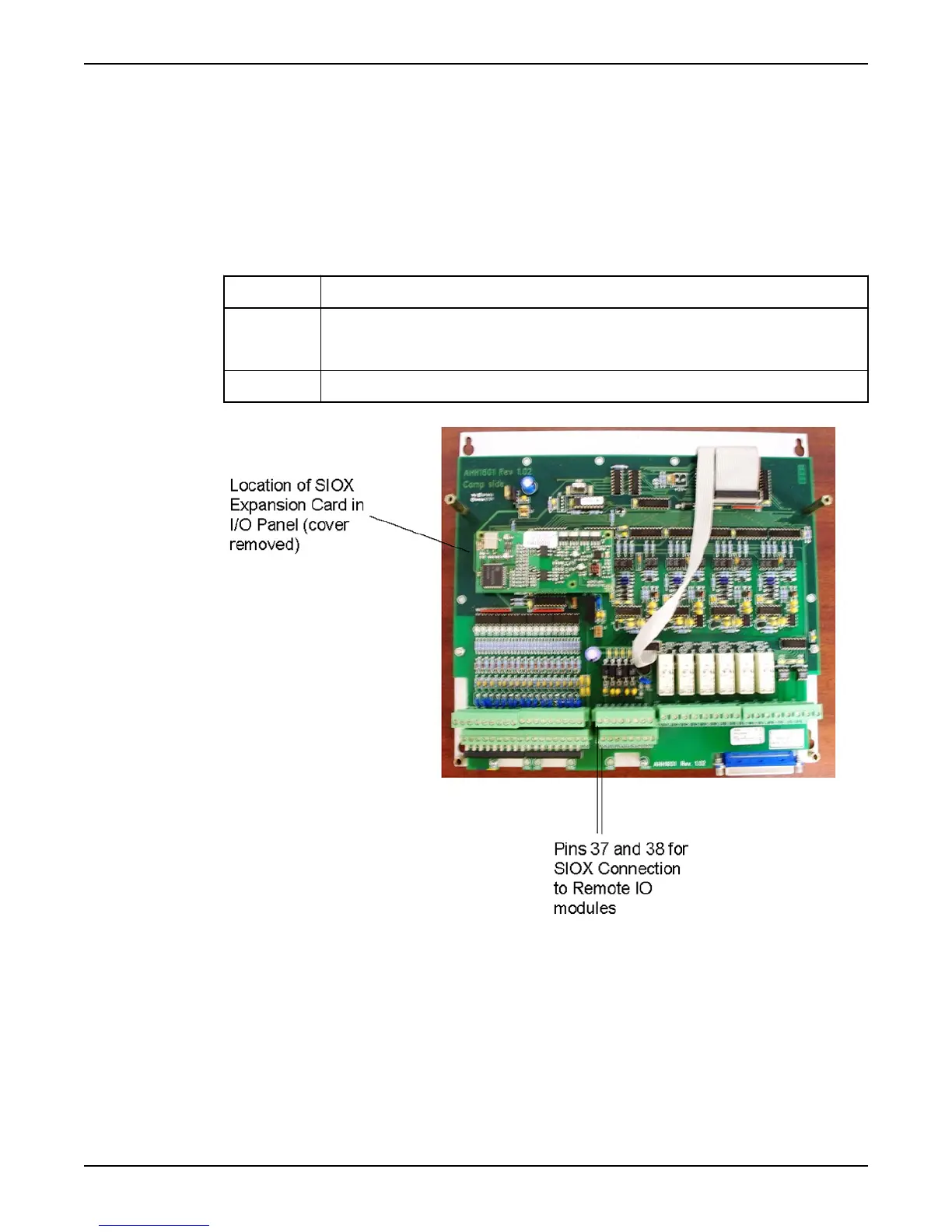
1 Remove the cover of the I/O Panel and install a SIOX Expansion Card inside the I/O Panel, making
sure all pins from the SIOX Expansion Card are connected to the header on the I/O Panel. Reinstall
the cover.
2 Connect external I/O units to terminals 37–38.
Figure 11
Connect Inputs and Outputs
Hardware for APP700 and APX700 Installation 15



 To Next Page