Connect passive sensor
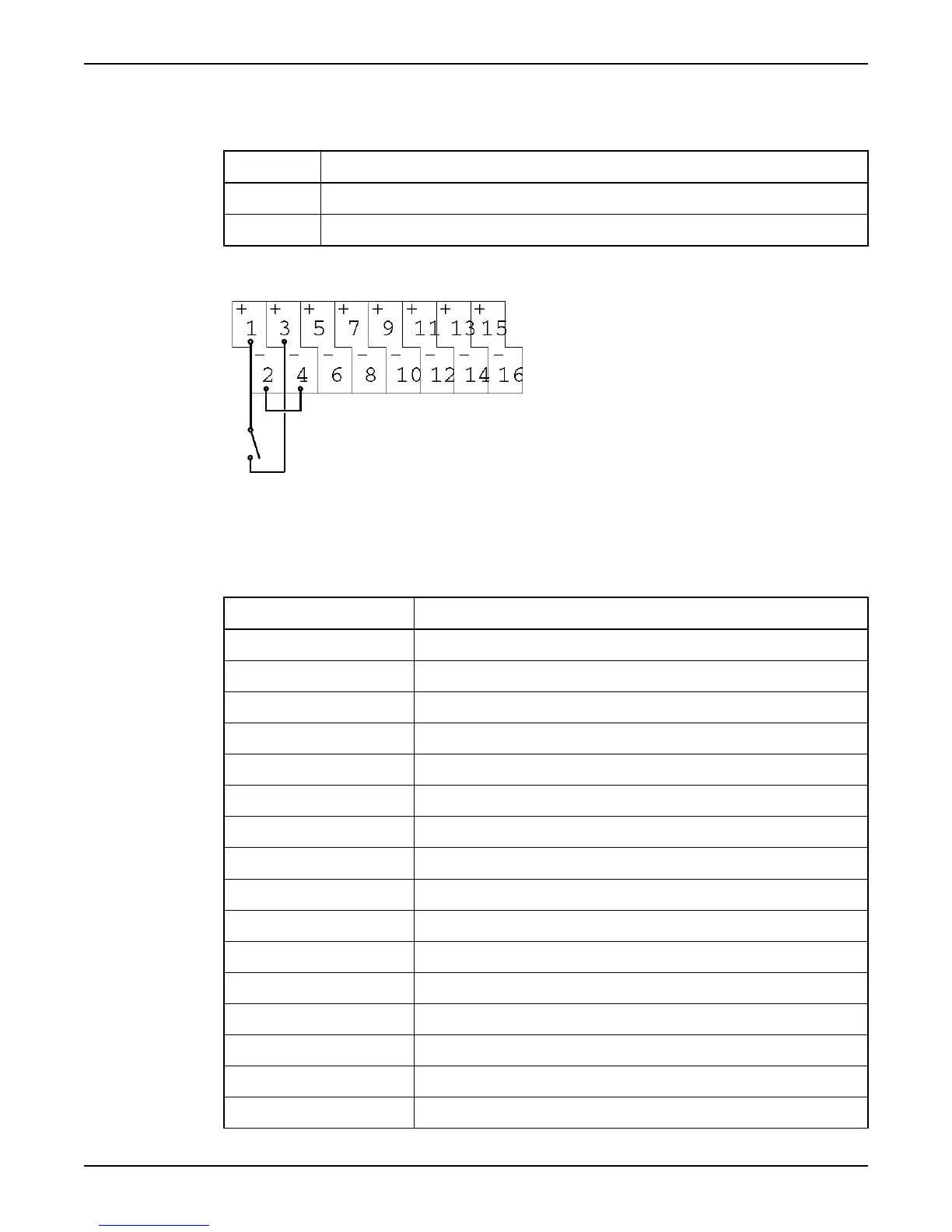
Follow these steps to connect passive sensors to the digital inputs.
Table 6
Step Action
1 Connect a jumper from either terminal 2 or terminal 36 to the negative (-) terminal.
2 Connect the passive contact from terminal 1 or terminal 35 to the positive (+) input.
Example: This is an example of how to connect the digital inputs.
Figure 9
Terminals
This table gives an overview of the terminals for digital inputs.
Table 7
Terminal
Input signal no./Description
+01/–02 Internal 24V DC power supply to digital input signals.
+03/–04 1
+05/–06 2
+07/–08 3
+09/–10 4
+11/–12 5
+13/–14 6
+15/–16 7
+17/–18 8
+19/–20 9
+21/–22 10
+23/–24 11
+25/–26 12
+27/–28 13
+29/–30 14
+31/–32 15
Connect Inputs and Outputs
Hardware for APP700 and APX700 Installation 13



 To Next Page