8 Interfacing with GPSDump
With the Flymaster GPS it is possible to download tracks and upload waypoints using the GPSDump
interface. GPSDump is freeware that can be downloaded to your MAC or PC. This section will describe
how to use the GPSDump interface. It is assumed that the correct drivers have been installed on the
computer and that GPSDump has been installed.
8.1 Conguring GPSDump
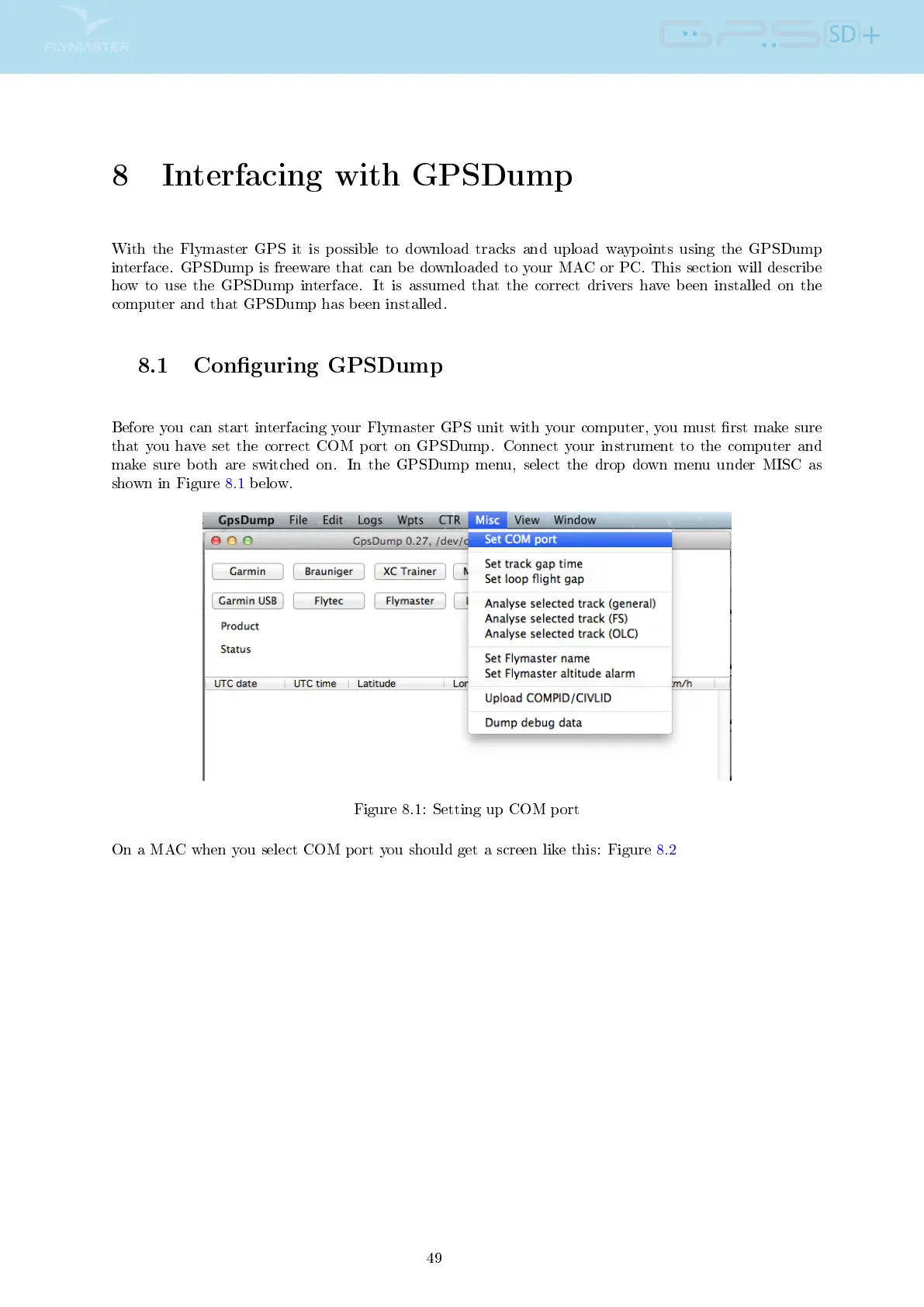
Before you can start interfacing your Flymaster GPS unit with your computer, you must rst make sure
that you have set the correct COM port on GPSDump. Connect your instrument to the computer and
make sure both are switched on. In the GPSDump menu, select the drop down menu under MISC as
shown in Figure 8.1 below.
Figure 8.1: Setting up COM port
On a MAC when you select COM port you should get a screen like this: Figure 8.2
49



 To Next Page