7
3-2 Chipset Driver Installation
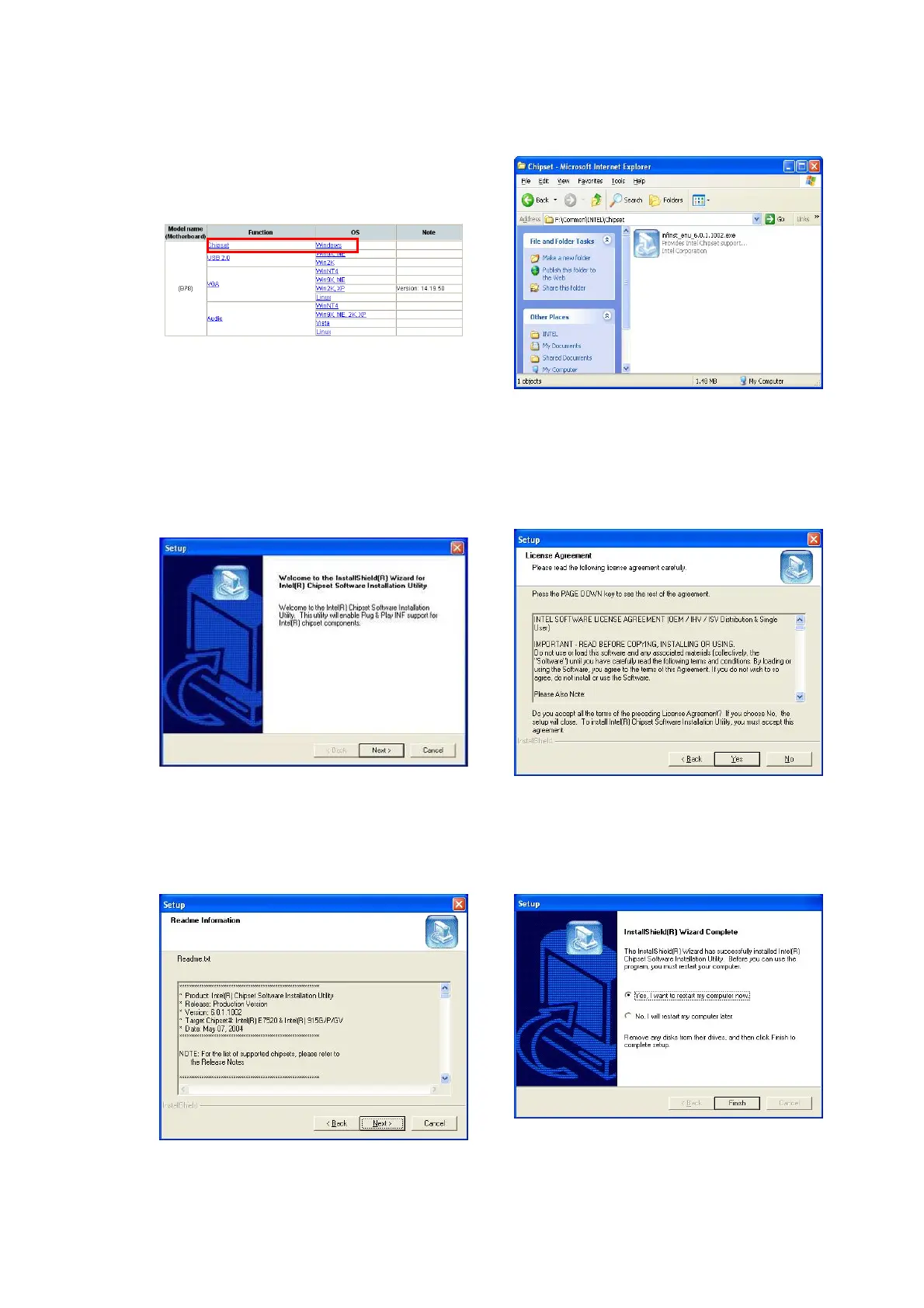
a. Click “Chipset” in the Driver List
menu of POS360 B78.
b. Double-click
“infinst_enu_6.0.1.1002.exe” on the
My computer window.
c. Click the “Next” button on the
Welcome window.
d. Click the “Yes” button on the License
Agreement window.
e. Click the ”Next” button on the
Readme Information window.
f. Click the “Finish” button and restart
your system.


 To Next Page