23
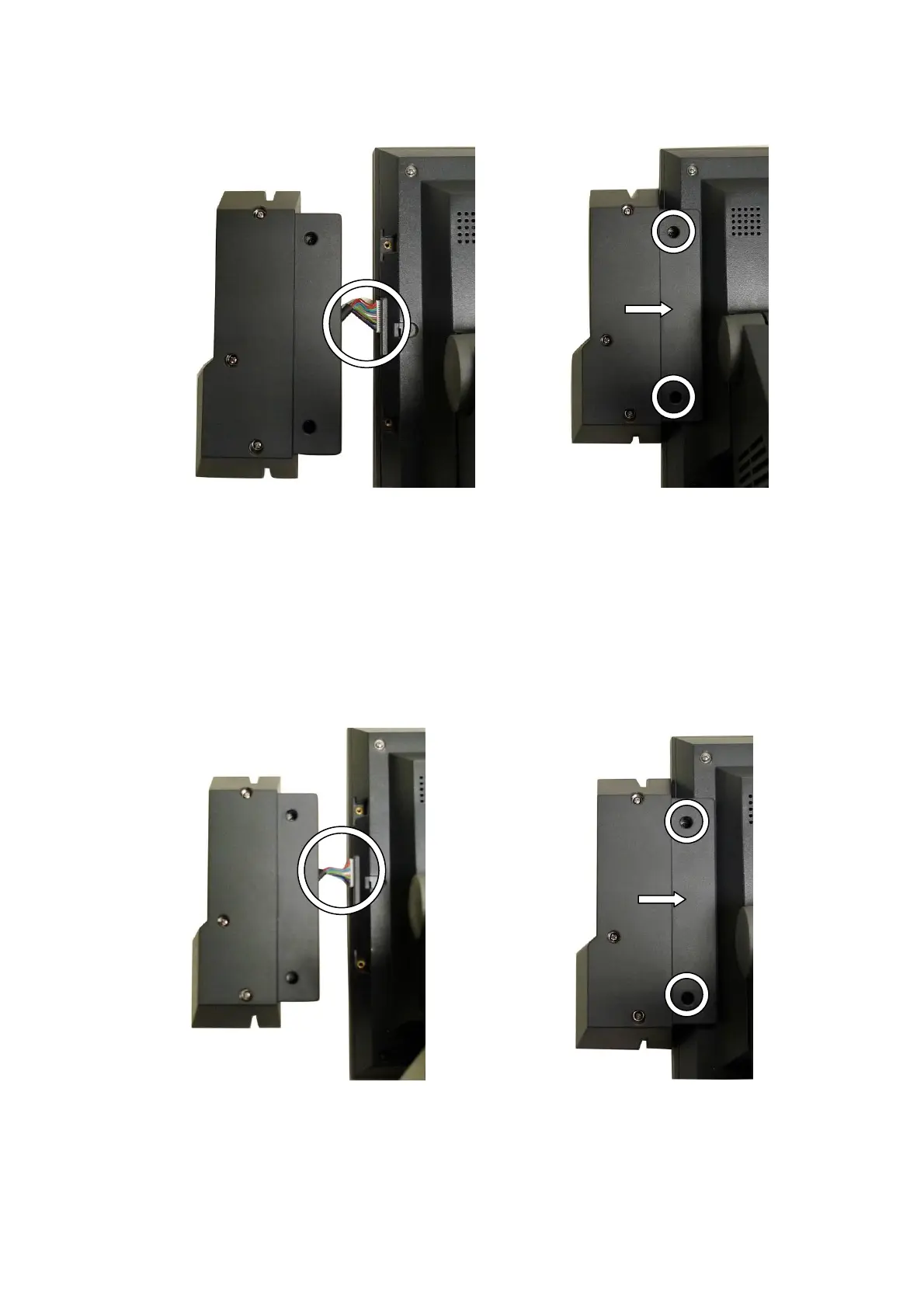
4-2 2-in-1 MSR + Finger Print Module Installation
a. Open the MSR Cover first (See Chapter 4.1 (a))
b. Connect the Finger Print Cable (1) to the connector on the System.
c. Fasten the screw (2) and place the Module into the right position of the
System.
4-3 2-in-1 MSR + iButton Module Installation
a. Open the MSR Cover first (See Chapter 4.1 (a))
b. Connect iButton Cable (1) to the connector on the System.
c. Fasten the screw (2) and place the Module into the right position of the
System.


 To Next Page