17
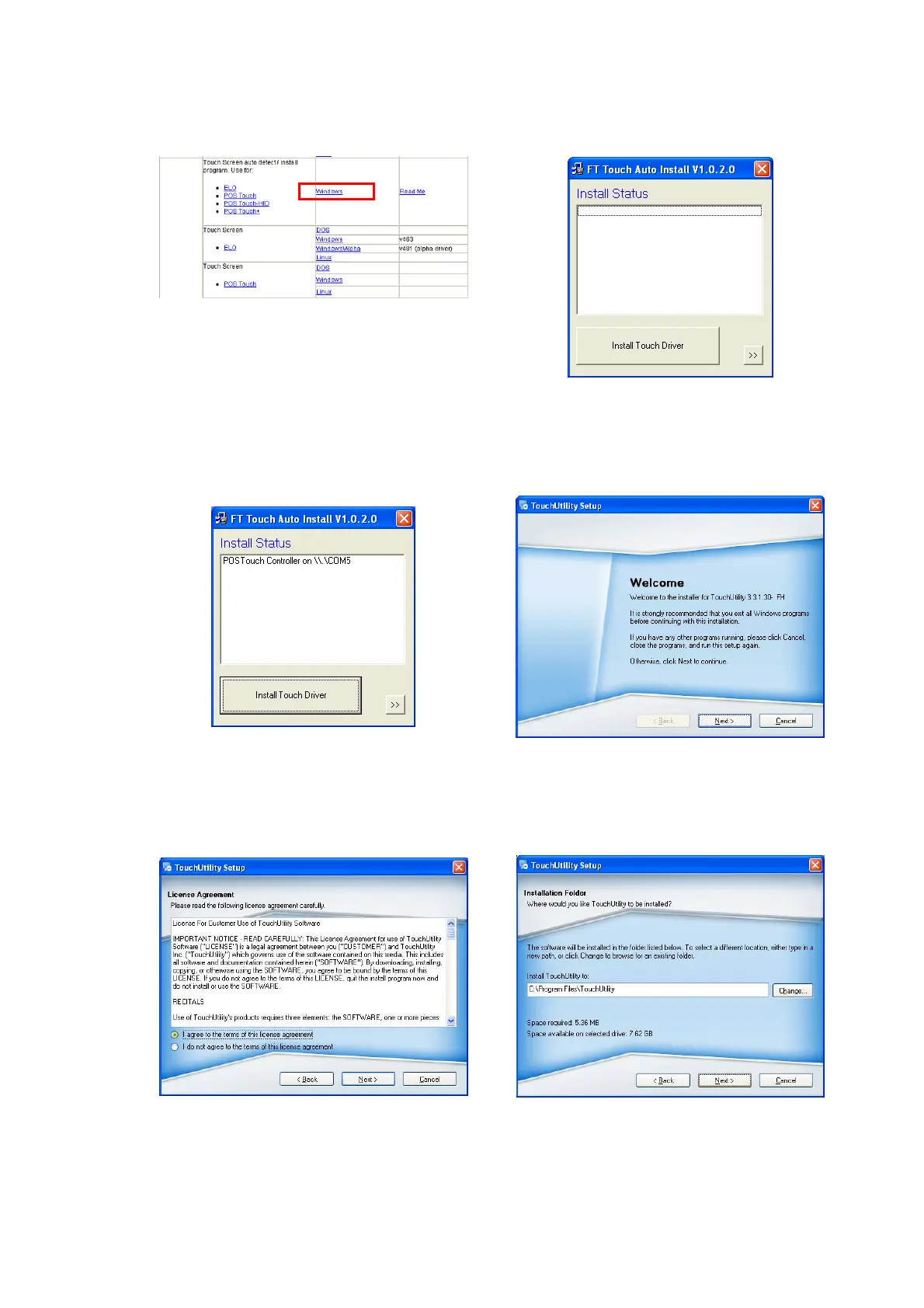
3-8 POSTouch Driver Installation
a. In the “Touch Screen auto…” section,
click “Windows”.
b. Click “Install Touch Driver” on “FT
Touch Auto Install V1.0.2.0” window to
detect the touch type in your system.
c. “FT Touch Auto Install” program will
detect what touch type and interface
being installed on the system.
d. Click ”Next”.
e. Select ”I agree…” and click ”Next”.
f. Select the installation folder for the
touch utility driver and click ”Next”.


 To Next Page