18
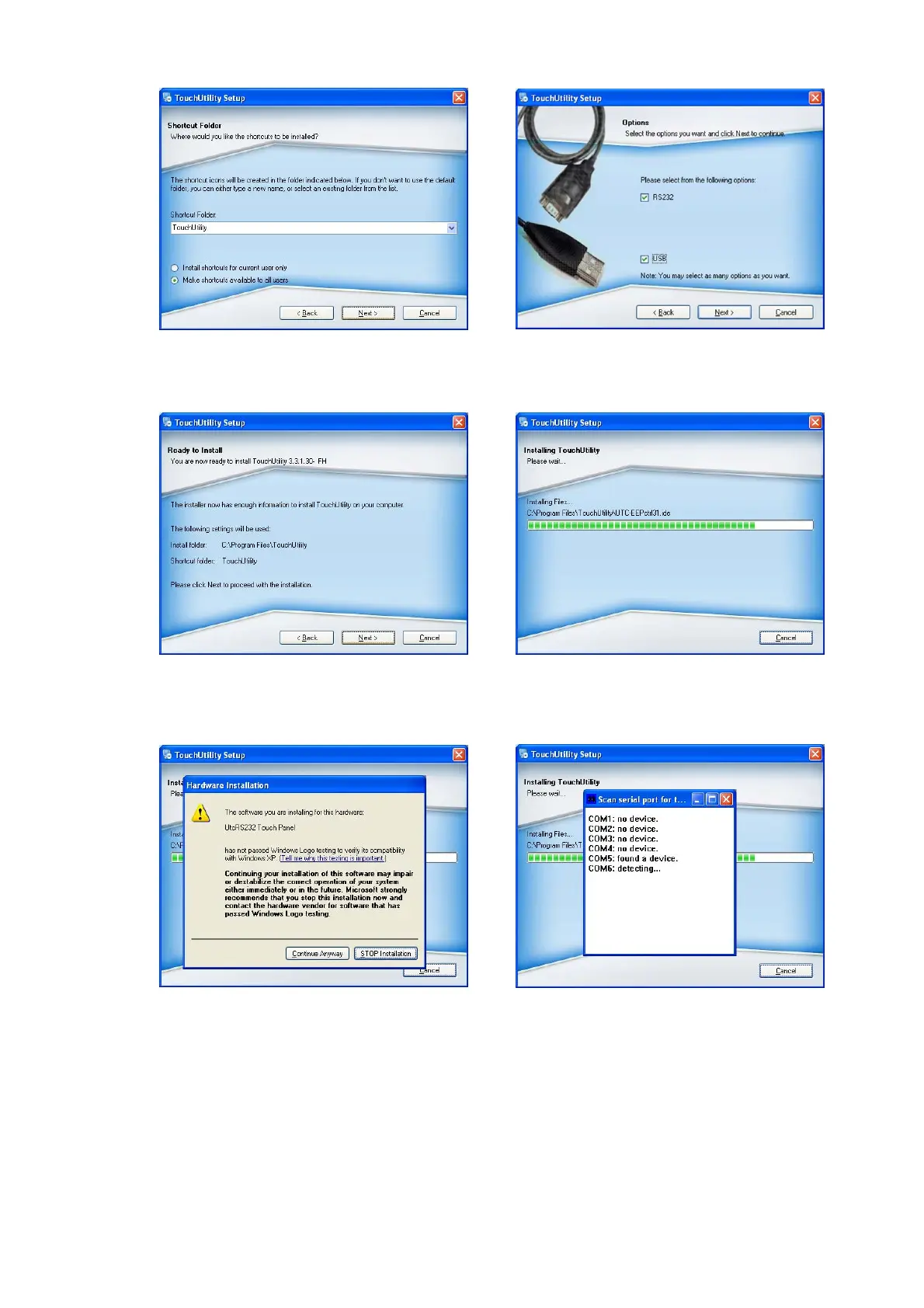
g. Select the shortcut folder for the touch
utility driver and click ”Next”.
h. Click ”Next”.
i. Click ”Next”.
j. The computer is installing the touch
driver
k. Click ”Continue Anyway” button.
l. The serial ports are scanned for a
touch device. The Touch panel is on
COM5.


 To Next Page