14
3-7 ELO Touch Driver Installation
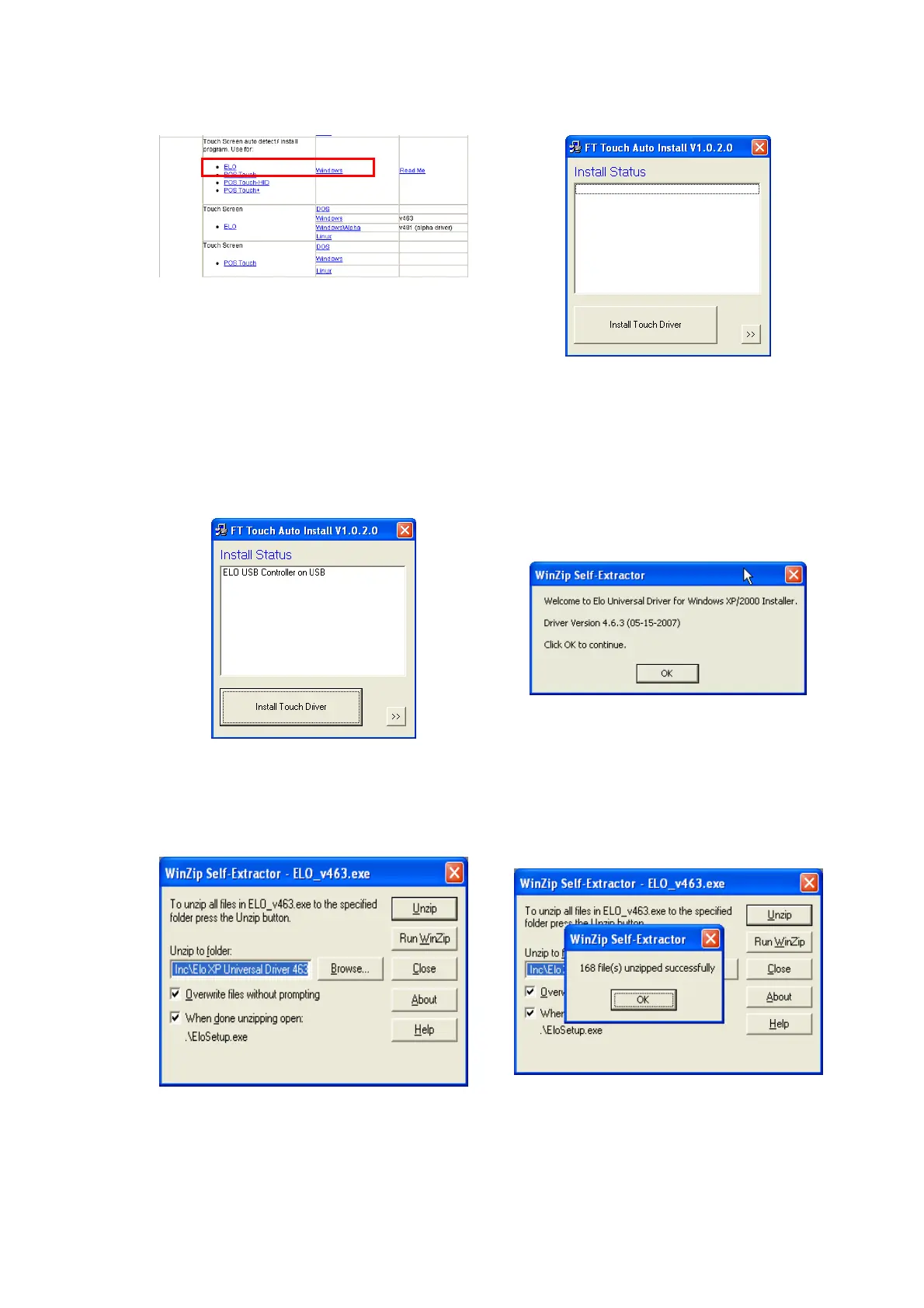
a. In the “ELO” section, click on
“Windows”.
b. Click “Install Touch Driver” on “FT
Touch Auto Install V1.0.2.0” window
to detect the touch type in your
system.
c. Click “Install Touch Driver”.
d. A “WinZip Self-Extractor” dialog will
pop up. Click “OK”.
e. Click “Browse” button to identify a
location or folder name to save to.
Click “Unzip” button to extract the
files.
f. Finished unzipping. Click “OK”.


 To Next Page