15
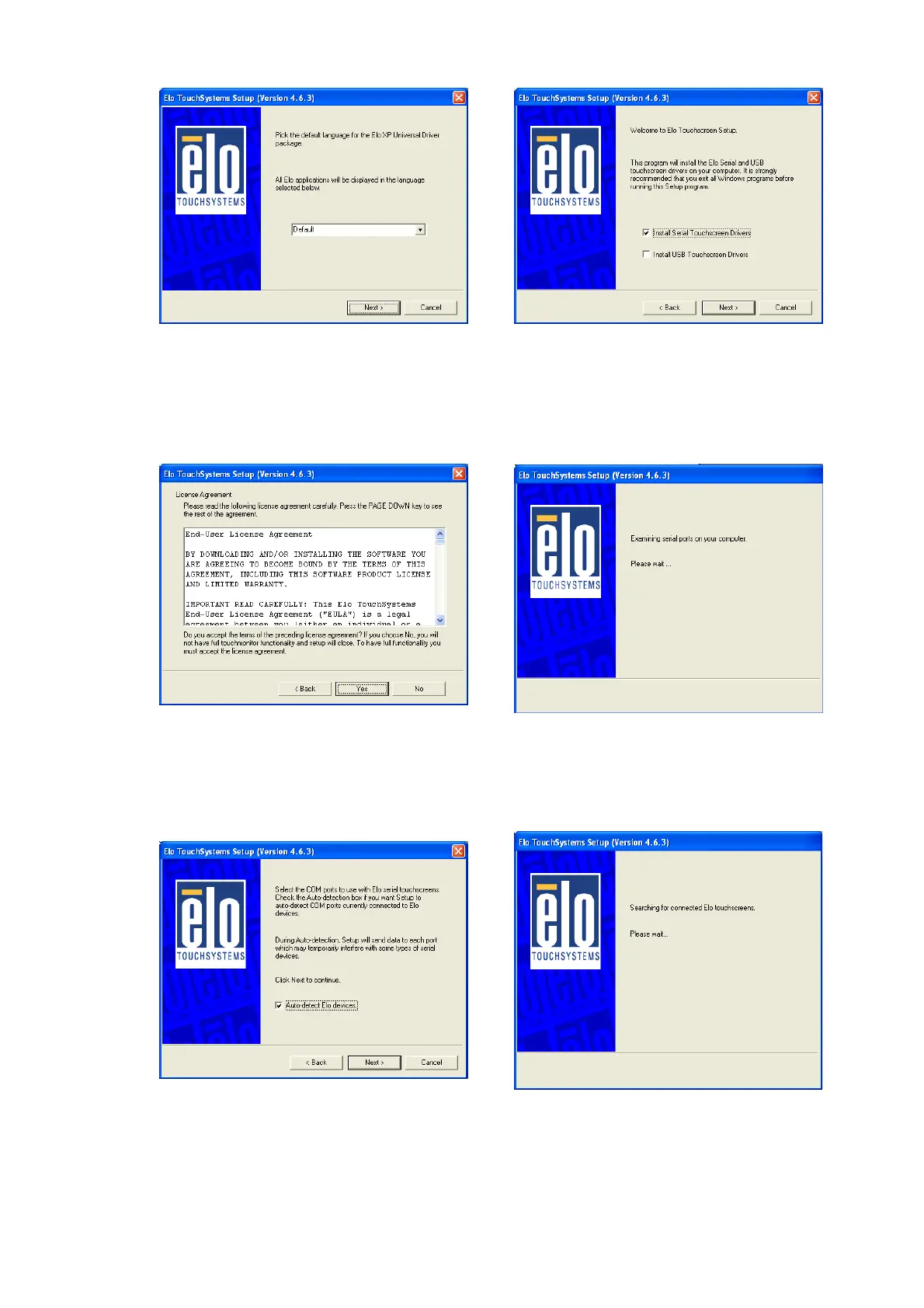
g. Click “Next”. h. Check the “Install Serial
Touchscreen” Drivers” check box
and click “Next”.
i. Click “Yes” to accept the “End User
License Agreement”.
j. Examining serial ports on the
computer
k. Check the box “Auto-detect Elo
devices” and click “Next”.
l. The computer is searching for a
connected to Elo Touchscreen


 To Next Page