16
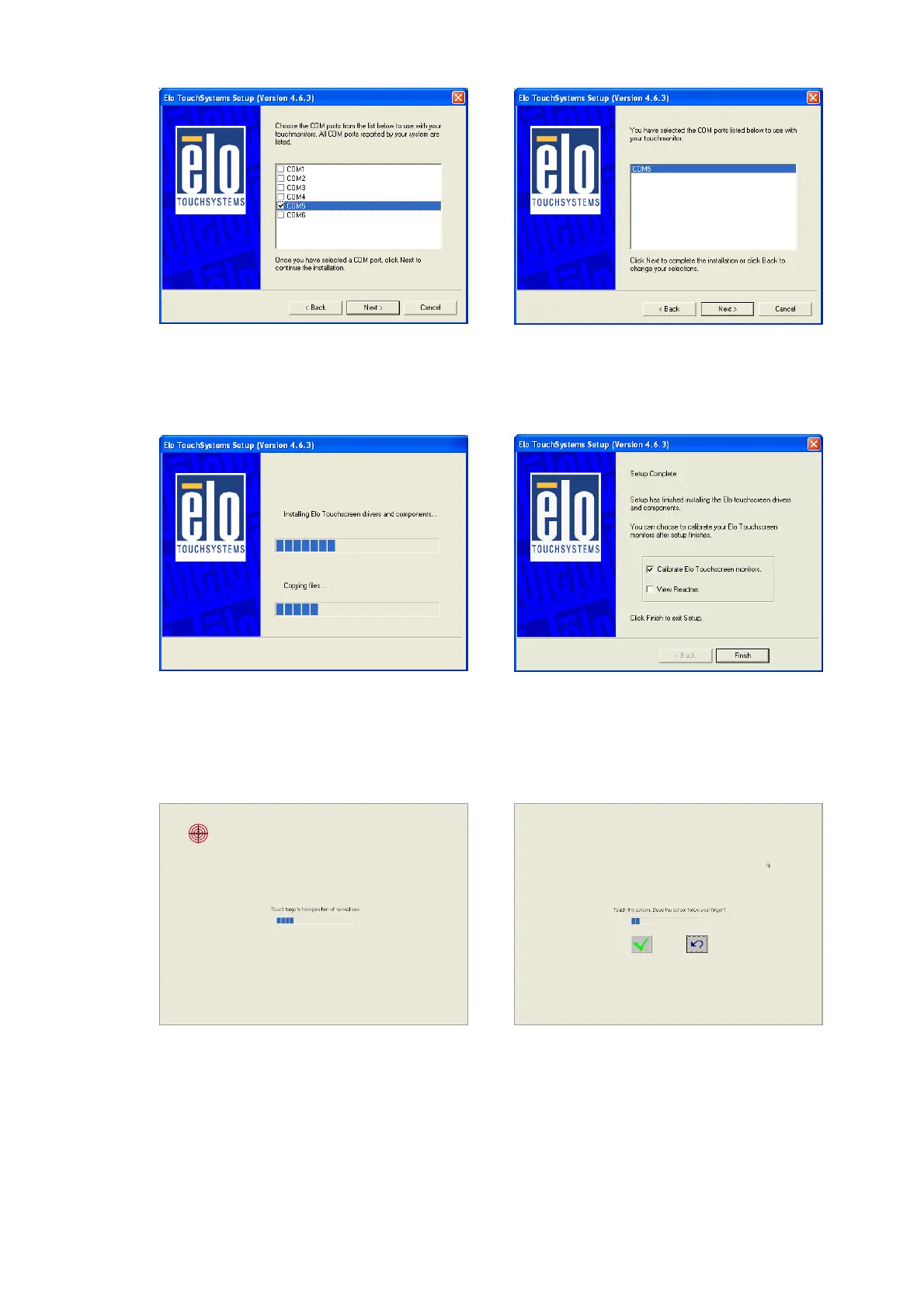
m. Touchscreen found on “COM5”.
Click “Next”.
n. Click “Next” to complete the driver
installation
o. Driver is installing p. The driver installation and setup are
now complete. Click “Finish” to start
the touchscreen calibration.
q. Follow the instructions on the screen
to calibrate the Touchscreen.
r. Verify that the touchscreen is
working correctly by moving your
finger on the screen. The mouse
cursor should follow your finger.
Finally, touch the green checkmark
to save the calibration settings and
exit the program


 To Next Page