31
5-3 Replacing Motherboard & I/O Board
a. Open the Motherboard Cover first (see Chapter 5.1(a)).
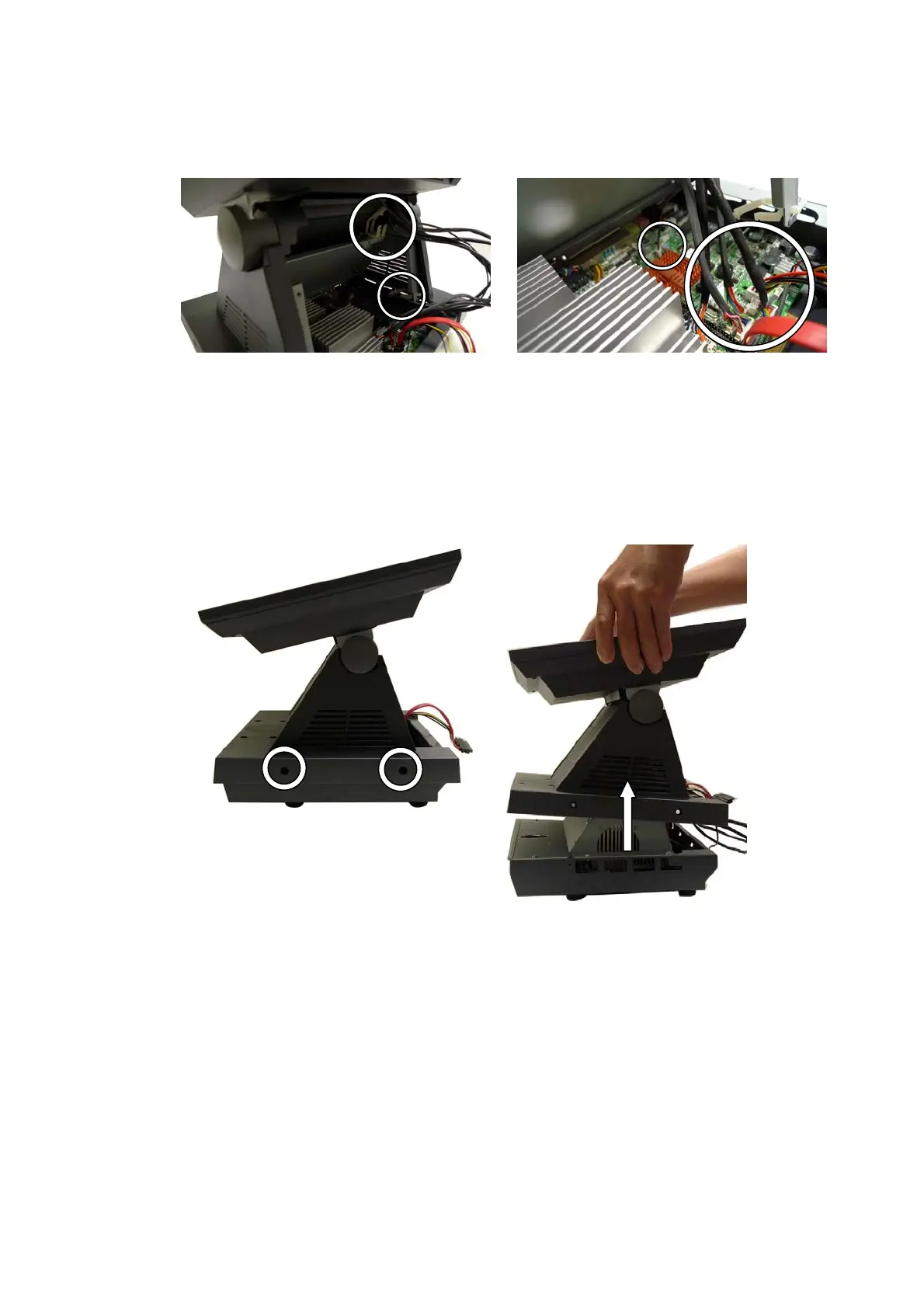
b. Unlock the cable clips (2).
c. Disconnect all the cables (8) - HDD, LVDS, Inverter, touch, VFD, MSR (if
installed), LED light and LCD cables from the connectors on the
Motherboard.
d. Loosen the screws (4) on each side of the System.
e. Lift the LCD Module with the Stand Cover from the Stand Base.


 To Next Page