12
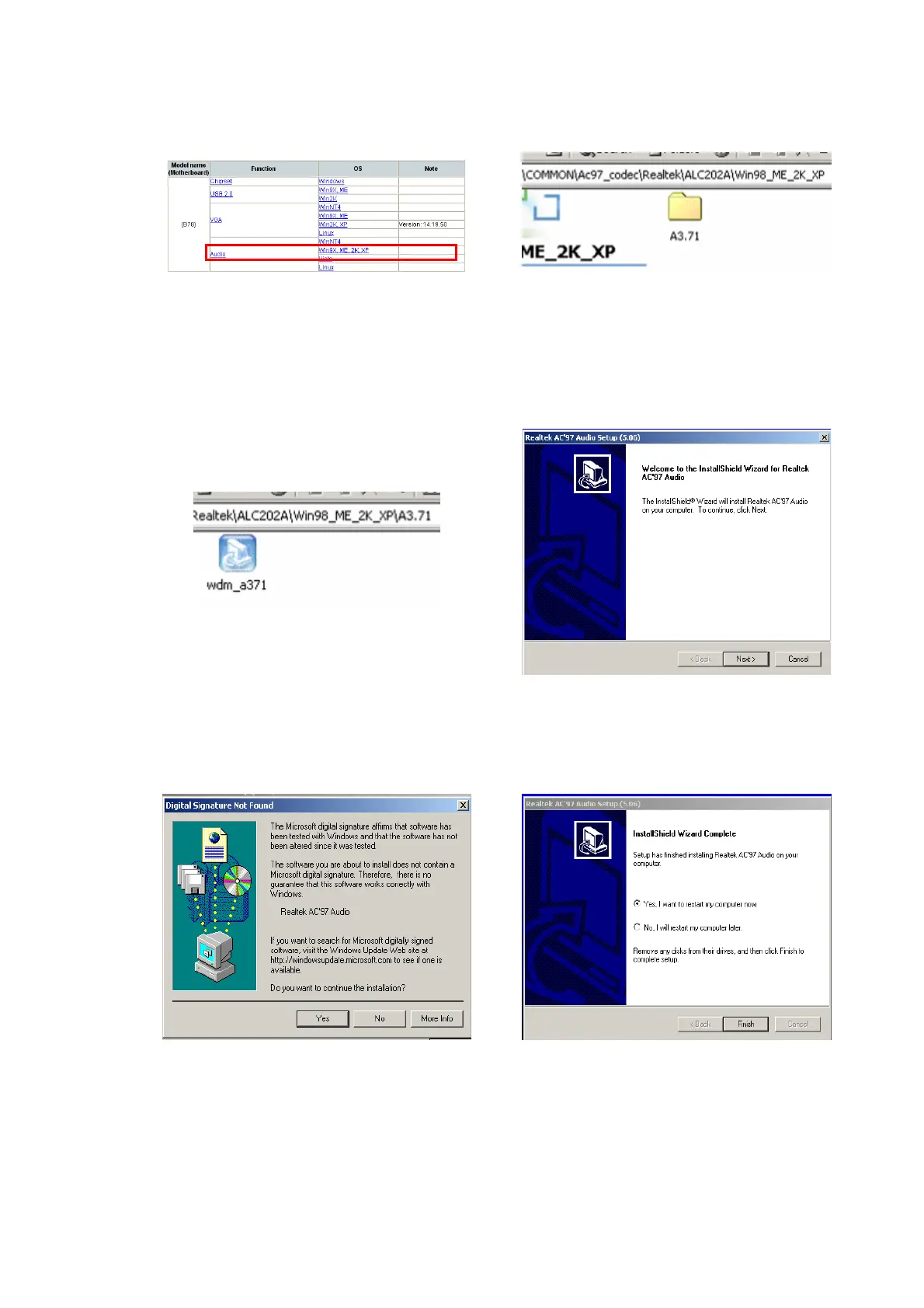
3-5 Audio Driver Installation
a. Click “Win9X,ME,2K_XP” of the
“Audio” section in the Driver List
menu.
b. Double-click “A3.71” on the My
Computer window.
c. Double-click “wdm_a371.exe” on the
My Computer window.
d. Click “Next” button on the Realtek
AC’97 Audio Setup window.
e. Click “Yes” button on the Digital
Signature Not Found window.
f. Click “Finish” button on the Realtek
AC’97 Audio Setup window.


 To Next Page