24
4-4 Second Display Installation
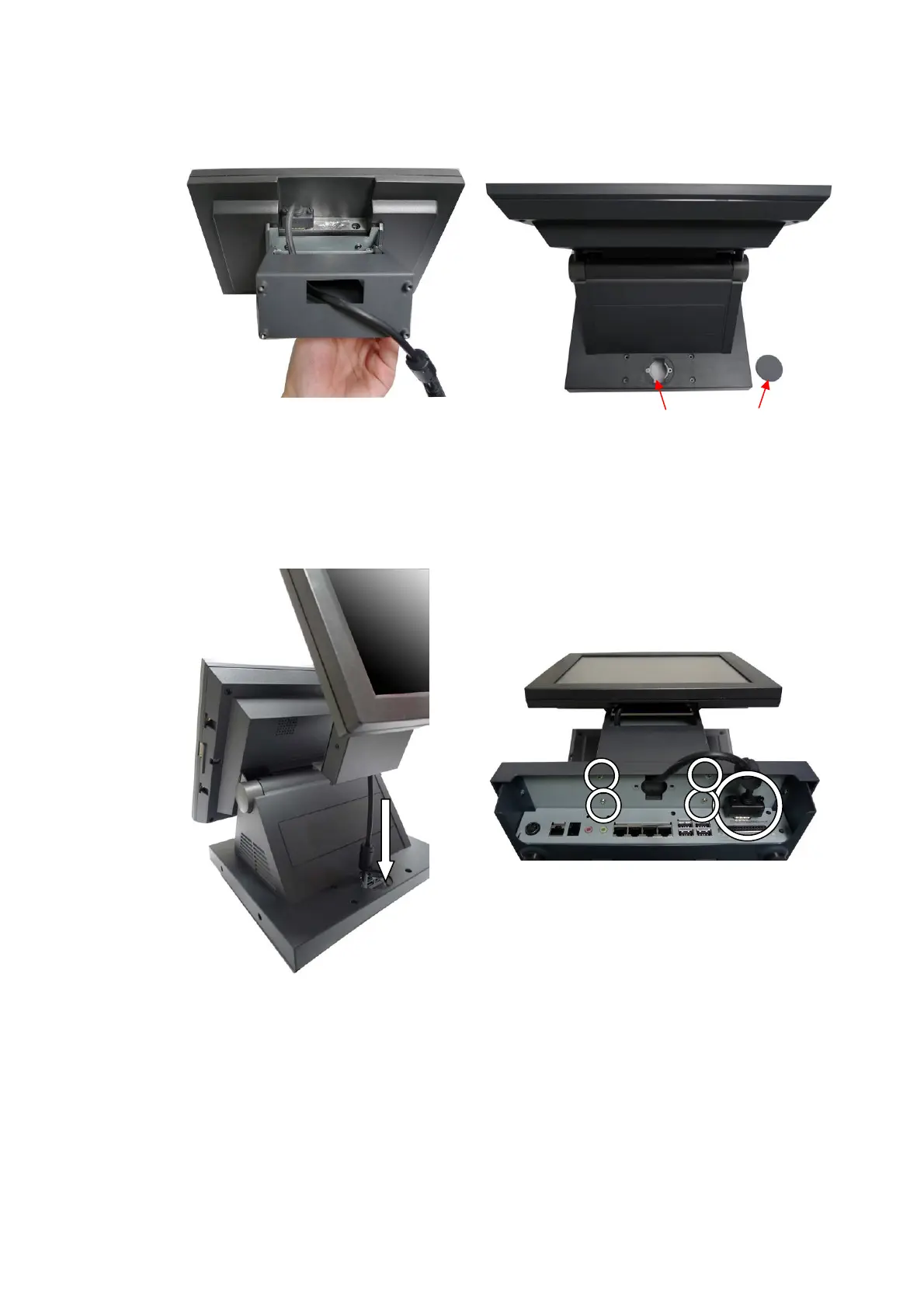
a. Connect the VGA Cable to the Second Display.
b. Open the VFD cover on the System.
c. Thread the VGA cable through the VFD hole.
d. Connect the VGA cable to the System.
e. Fasten the screws (4) in the metal chassis in the bottom of the System.
VFD Hole VFD Cover


 To Next Page