11
3-4 VGA Driver Installation
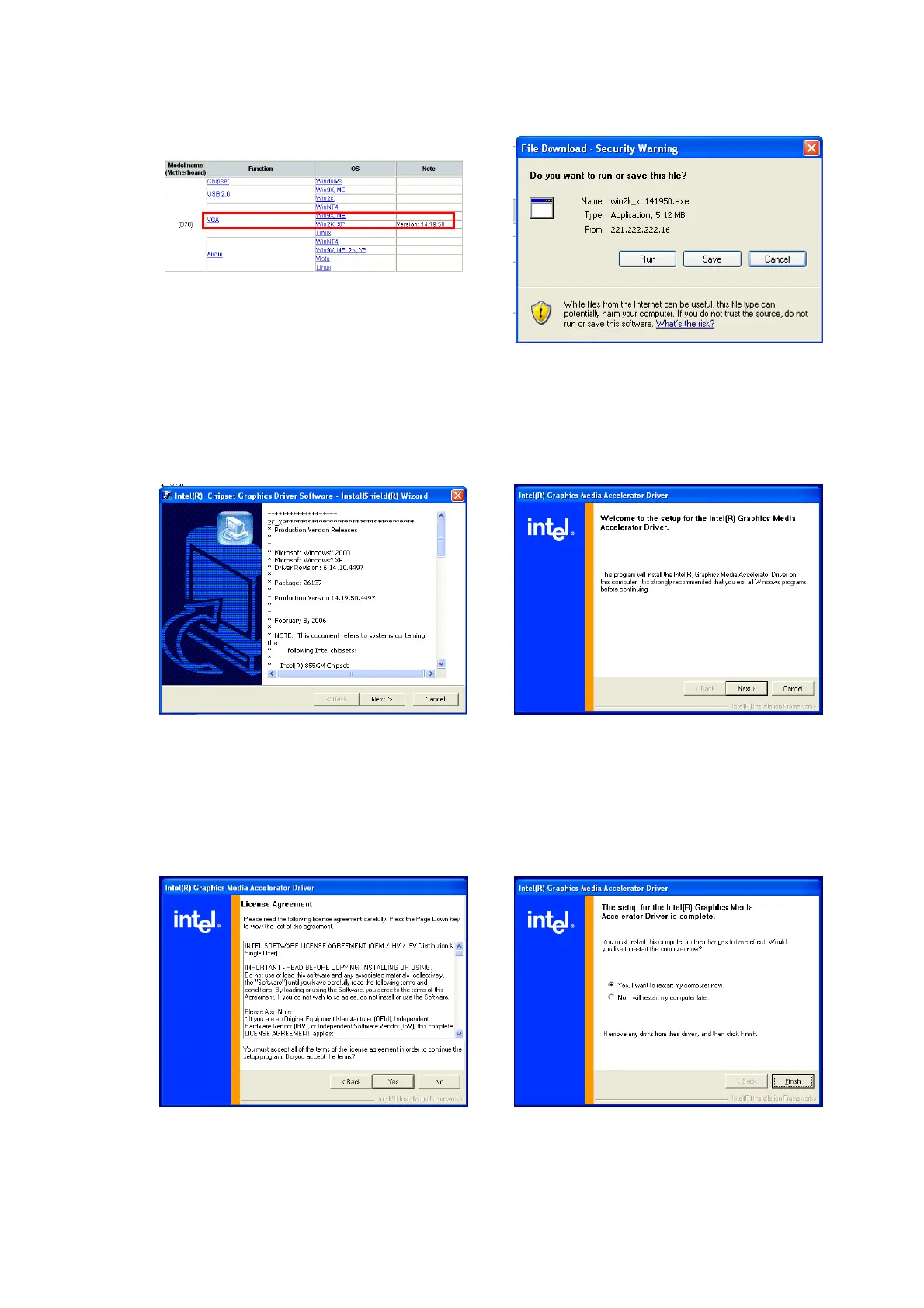
a. Click “Win2K_XP” of “VGA” section
in the Driver List menu.
b. Click “Run” when the “File
Download – Security Warning”
dialog pops up.
c. Click the “Next” button on the
Intel(R) Chipset Graphics Driver
Software- Install Shield(R) Wizard
dialog.
d. Click the “Next” button on the
Intel(R) Graphics Media Accelerator
Driver dialog.
e. Click the “Yes” button on the Intel(R)
Graphics Media Accelerator Driver
dialog.
f. Select “Yes, I want to restart my
computer now” and click the “Finish”
button on the Intel(R) Graphics
Media Accelerator Driver dialog.


 To Next Page