10
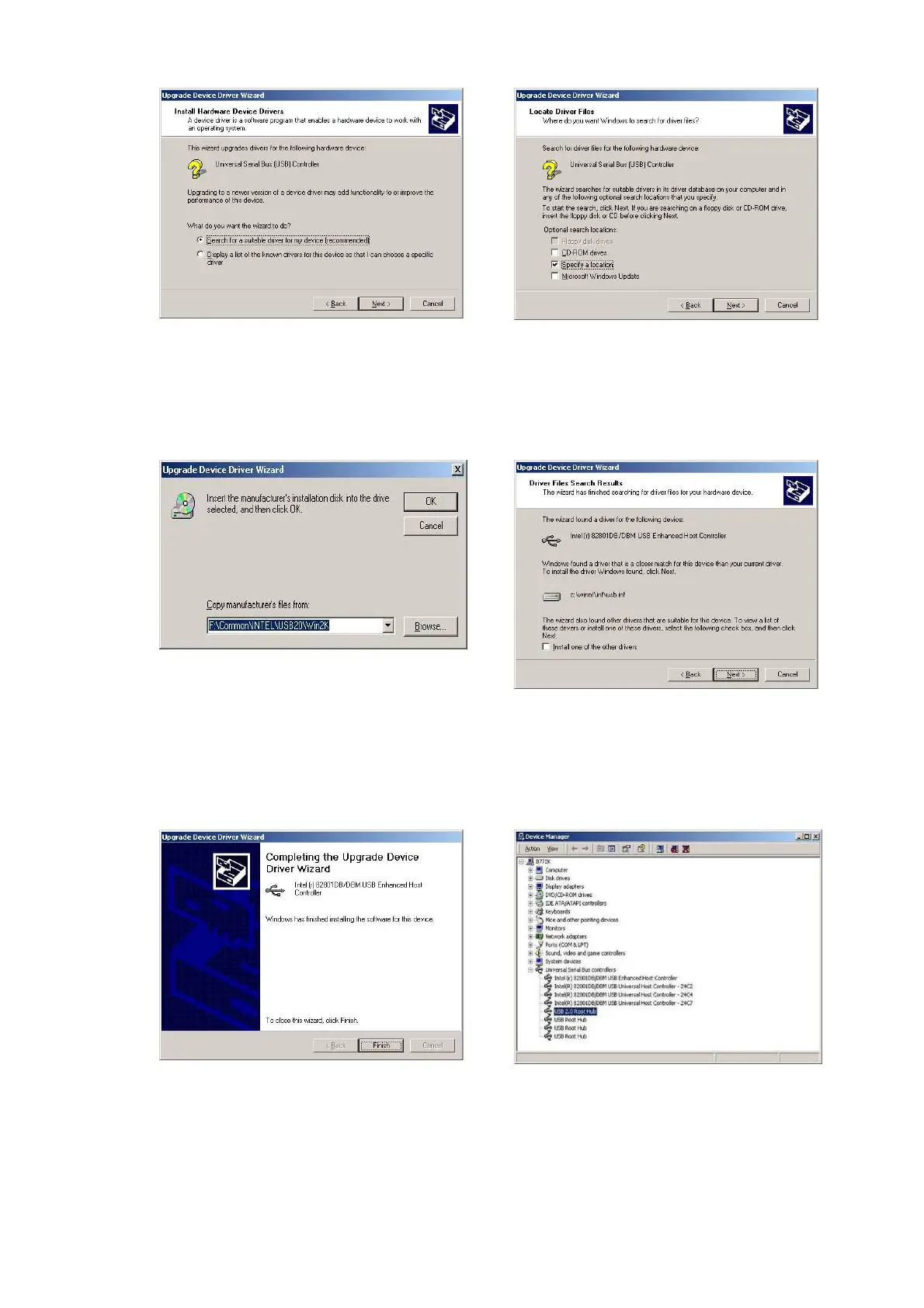
f. Select “Search for a suitable…”and
click the “Next” button on the Install
Hardware Device Drivers window
g. Select “Specify a location” and click
the “Next” button on the Locate
Driver Files window.
h. Press “Browse” to select the driver
and then click the “OK” button to go
to the next page
i. Click the “Next” button on the Driver
Files Search Results window.
j. Click the “Finish” button to complete
this process.
k. Finished.


 To Next Page