19
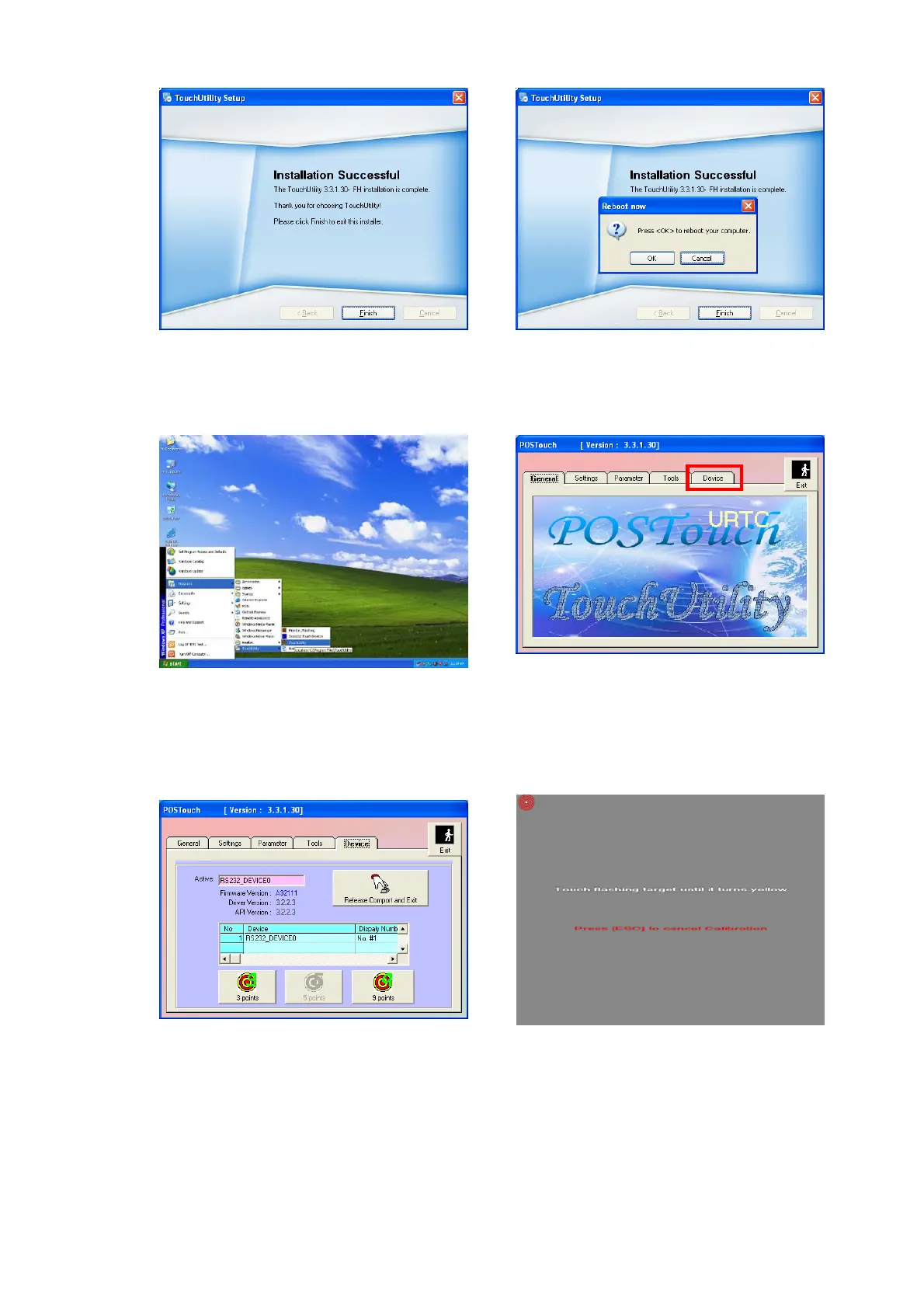
m. Click ”Finish”.
n. Click ”OK” to restart the computer and
finish the touch utility installation.
o. The computer has restarted. Click on
the ”Start” button, select “Programs”,
then select ”Touchutility”.
p. Select the Device tab.
q. Click on the 3 points or the 9 points
calibration button.
r. Follow the instructions on the screen
to do the calibration of the touch panel


 To Next Page