26
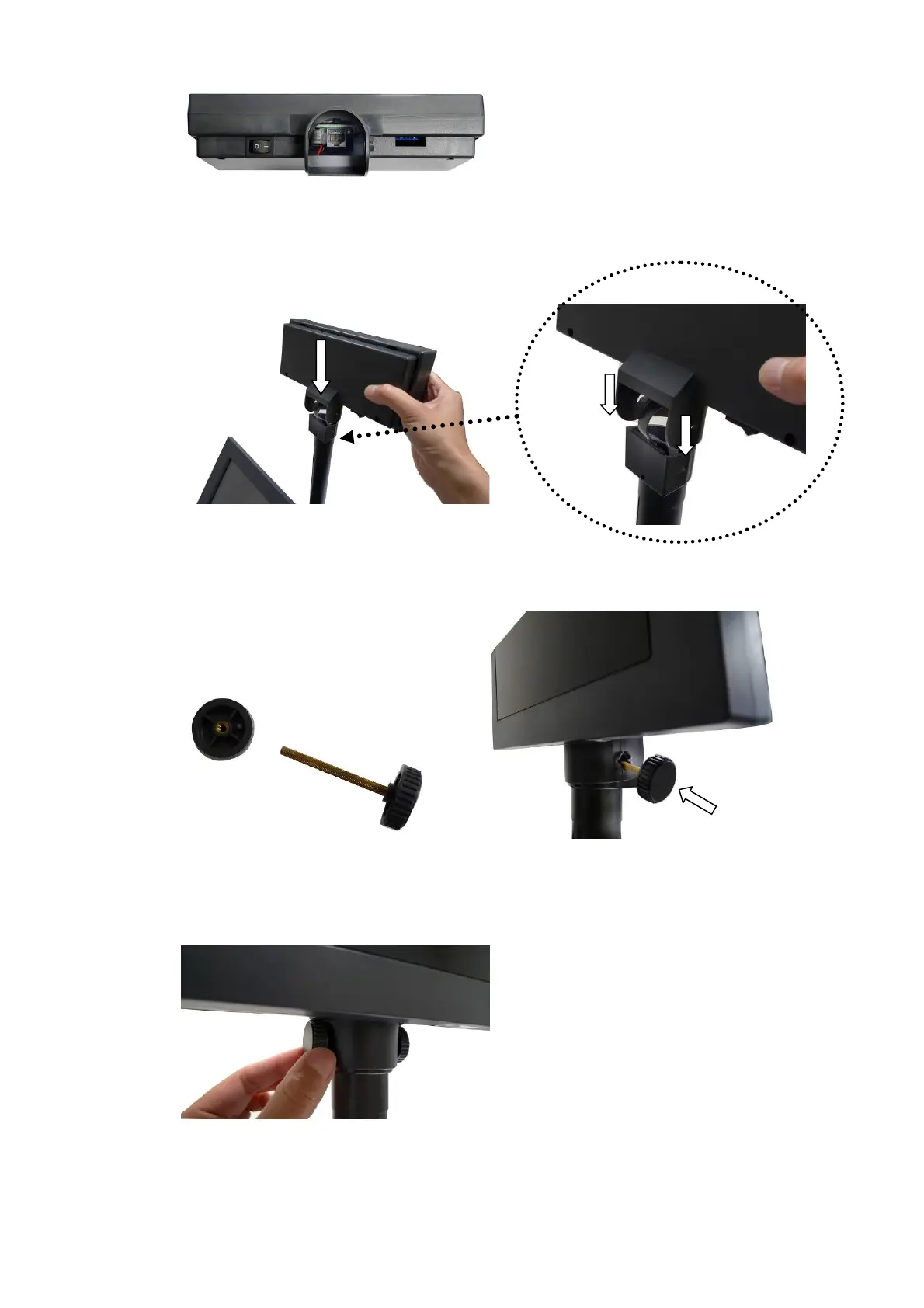
c. Turn the VFD bottom up and connect the other side of the VFD cable to the
connector (RJ45) on the VFD.
d. To align and attach the VFD onto the right position of the VFD Pole head.
e. Detach one plastic wheel from the Wheel Shaft Assembly.
f. Insert the Wheel Shaft Assembly into aligning hole on the side of the VFD
and VFD Pole.
g. Tighten the plastic wheel with the shaft which comes out from the other side
of the aligning hole.


 To Next Page