12
Saffire MixControl
The Saffire MixControl software allows flexible mixing and routing of all audio signals to the physical audio outputs, as well as
control of output monitor levels. All sample rate selection, digital syncing and buffer size settings (Windows only) are available from
Saffire MixControl.
To open Saffire MixControl.
Windows
Start > Programs > Focusrite > Saffire MixControl.
Mac
Open Finder > Applications > Saffire MixControl.
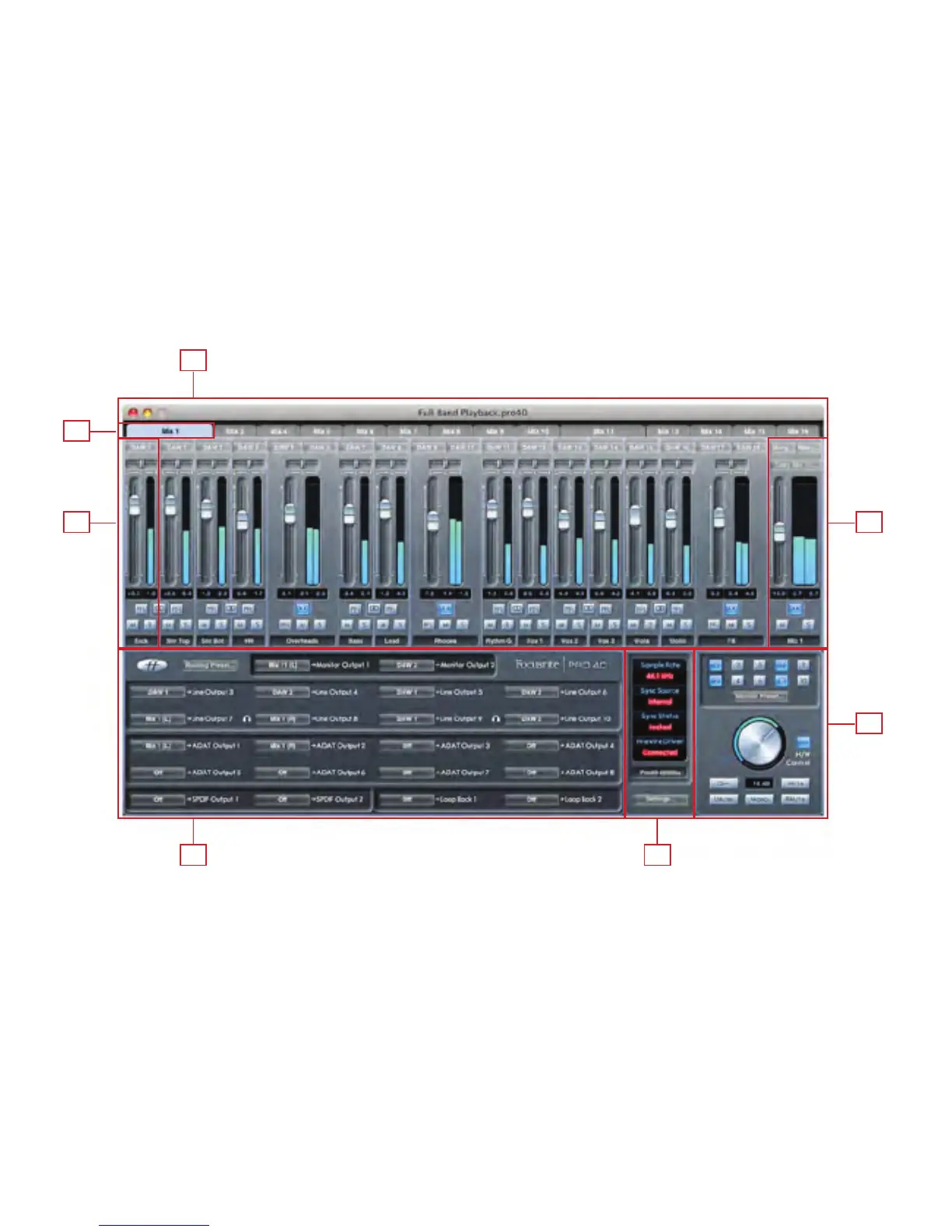
This is how the Saffire MixControl Graphical Interface will appear on your computer.
1. Mixer
2. Mixer Tab
3. Mixer Input Channel
4. Mixer Output Channel
5. Routing Section
6. Monitor Section
7. Device Status Section
1
5 7
3
2
4
6















 To Next Page