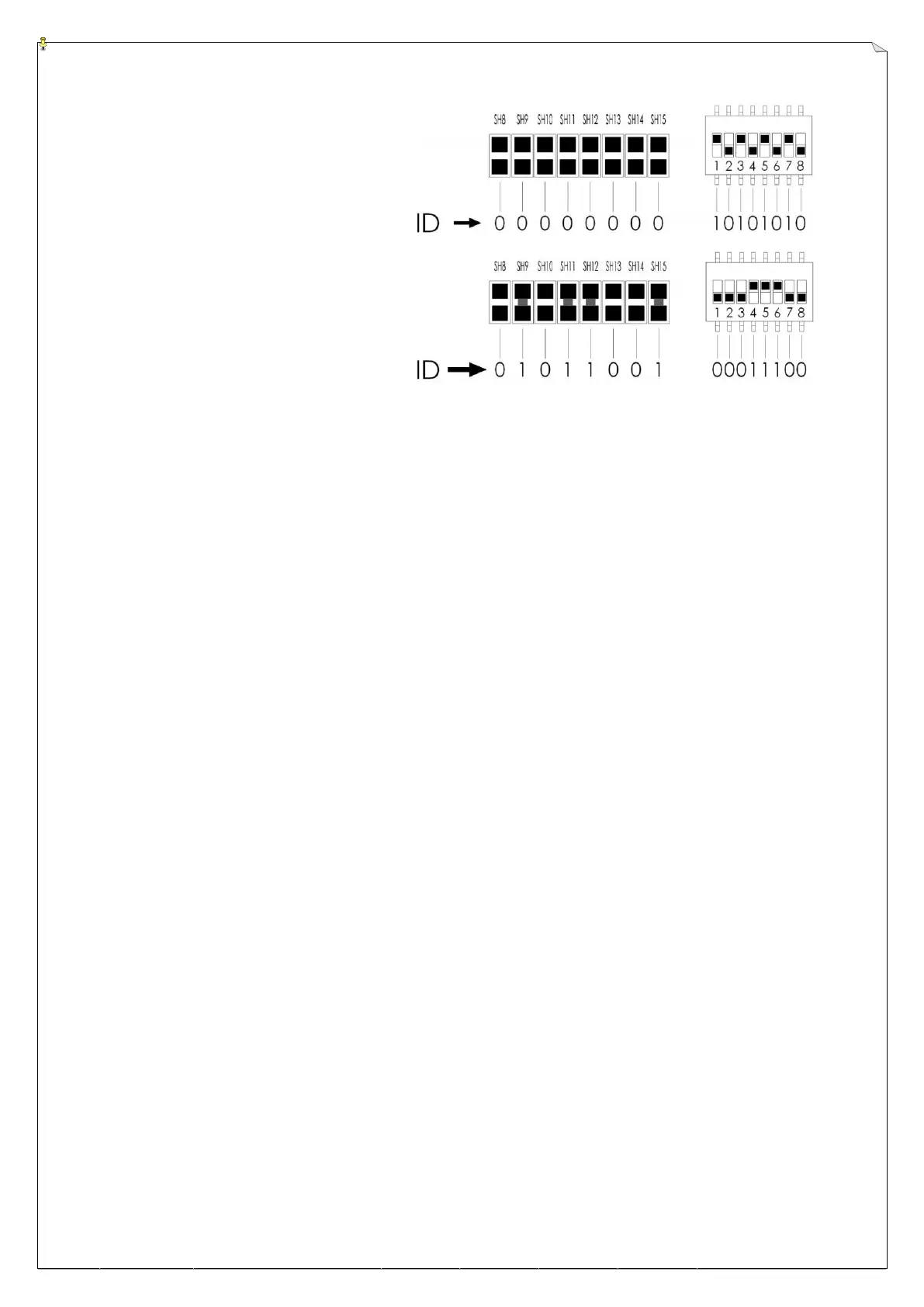
Example 1:
ID code 00000000:10101010
Example 2:
ID code 01011001:00011100
6
6
.
.
3
3
F
F
r
r
e
e
q
q
u
u
e
e
n
n
c
c
y
y
(
(
R
R
F
F
)
)
C
C
h
h
a
a
n
n
n
n
e
e
l
l
S
S
e
e
t
t
t
t
i
i
n
n
g
g
s
s
All Alpha 3000 systems are also equipped with a PLL synthesized receiving RF module with
up to 63 user-adjustable RF channels. The RF channel dip-switch is located on the topside of
the receiving RF module, covered by a sliding door.
Example: For the below illustrated dip-switch
“000101”
setting, counting from
dip-position #1 to #6, the RF channel would be “205”, which also represents
frequency “301.205 MHz”. Please refer to the Frequency (RF) Channel Table or the
CHANNEL → DIP label inside the receiver door panel.
Button 2 (Channel Setup): PLL module power on and press button 2 to write in the channel.
LED flashes 3 times meaning the new frequency write-in is completed.
Top Slot → “1”
Bottom Slot → “0”
Procedure: 1. Open the sliding door.
2. Set the dip-switch base on the Frequency (RF) Channel Table
3. Power on the module & press button 2.
4. LED flashes 3 times to verify the frequency
5. Close sliding door and screw up.



 To Next Page