EN-6
your test. If the codes do not match, please stop testing and
repeat the calibration procedure. If the problem persists,
contact Customer Service for help.
NOTICE:
The codes used in this manual are examples only; your meter
may display a dierent code.
WARNING:
• It is important to make sure that the LCD displayed code is
the same as the code on your test strip vial or foil pack before
testing. Failure to do so will get inaccurate results.
• If the LCD displayed code is not the same as the code on your
test strip vial and the code number cannot be updated, please
contact Customer Service for assistance.
Testing With Blood Sample
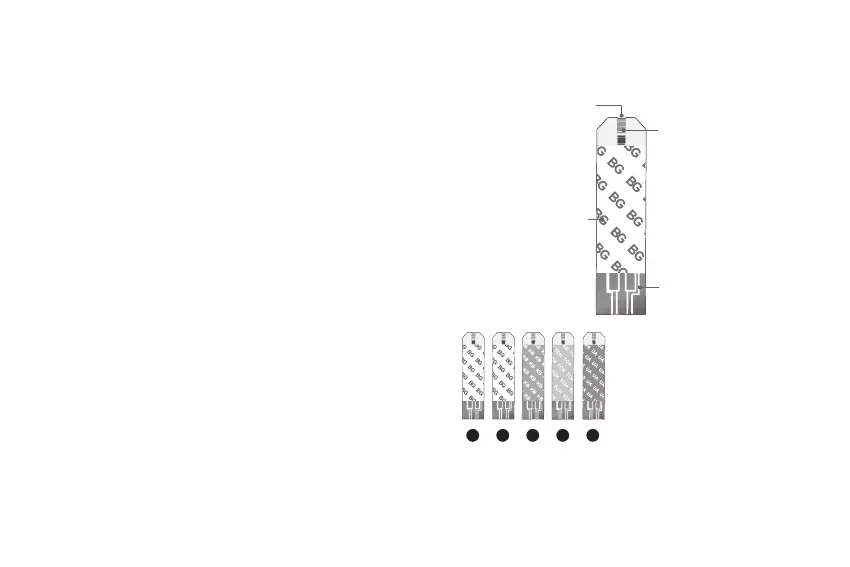
Test Strip Appearance
Absorbent Hole
Apply a drop of blood
here. The blood will be
automatically absorbed.
Conrmation Window
This is where you conrm
if enough blood has been
applied to the absorbent
hole in the strip.
Test Strip Handle
Hold this part to insert
the test strip into the slot.
Contact Bars
Insert this end of the test
strip into the meter. Push it
in rmly until it will go no
further.
1
2
3
4
5
1. Blood Glucose
2. Blood Glucose / Hematocrit
/ Hemoglobin
3. β-Ketone
4. Total Cholesterol
5. Uric Acid



 To Next Page