40
NOTE
• If you press
during measurement, the monitor will be turned off.
• If the pulse rate symbol is shown as
“
”
instead of
“
”
, this indicates
that the monitor has detected an irregular heart beat.
Always apply the pressure cuff before turning on the monitor.
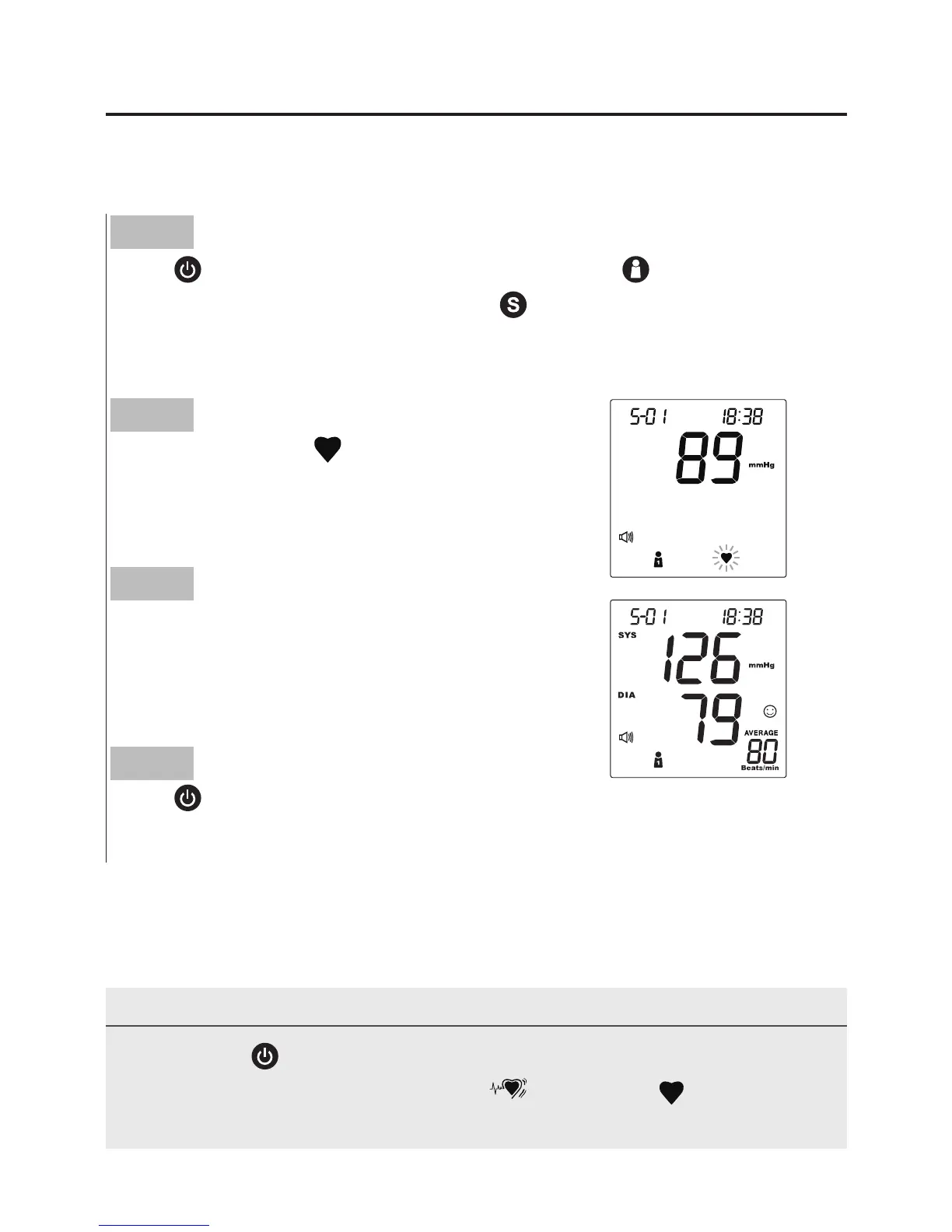
Taking a Single Measurement
Step 2
The heart symbol
“
”
will flash when a
pulse is detected during the inflation.
Step 3
After the measurement, the monitor
displays the systolic pressure, diastolic pres-
sure and pulse rate.
Step 4
Press
to switch off. Or it will switch off
automatically after left idle for 3 minutes.
Step 1
Press
. All the LCD symbols will appear. Press
to select the
desired user number and then press
. Then the cuff will begin to
inflate automatically.



 To Next Page