A1-42
Take a Reading
Read "Suggestions before Measuring" and "Applying the Pressure Cuff"
before you take a reading. Always apply the pressure cuff before turning
on the monitor.
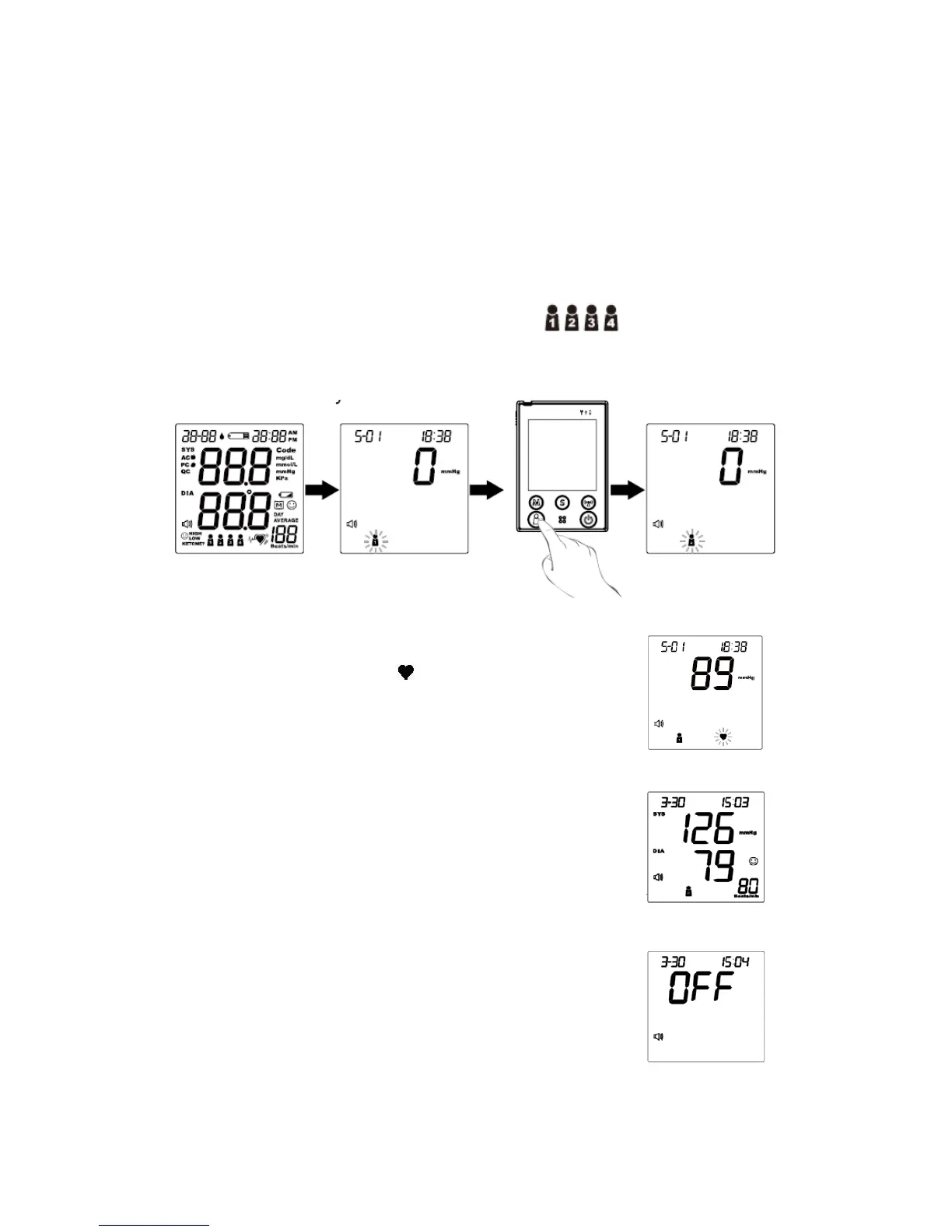
STEP 1. Press the On/Off button. All the LCD symbols will appear.
Press the user selection button to select user (numbers from1 to
4) whose test reading will be stored in its memory. Then the cuff will begin to
inflate automatically.
STEP 2. After the cuff pressure is reached, the cuff begins
deflation. The pulse symbol “ ” will flash when pulse is
detected.
STEP 3. After the measurement, the monitor displays
the systolic pressure, diastolic pressure, and pulse rate.
STEP 4. Press the On/Off button to switch off. Or it will
switch off automatically after 3 minutes.
42



 To Next Page