A1-47
Reading the Day Average of Blood Glucose Results
STEP 1 When the monitor is off, keep pressing the M button for 3
seconds to enter the memory mode.
STEP 2 Select the user’s number by pressing the user selection button.
After the display, press the S button to switch and review blood glucose
or blood pressure test results.
STEP 3 Press the M button to review the 14-, 21-, 28-, 60- and 90-day
average in order.
STEP 4 After viewing the 90-day average, press the M button again to
resume to the 7-day average.
STEP 5 View the day average results of another user’s number by
pressing the user selection button and selecting another one.
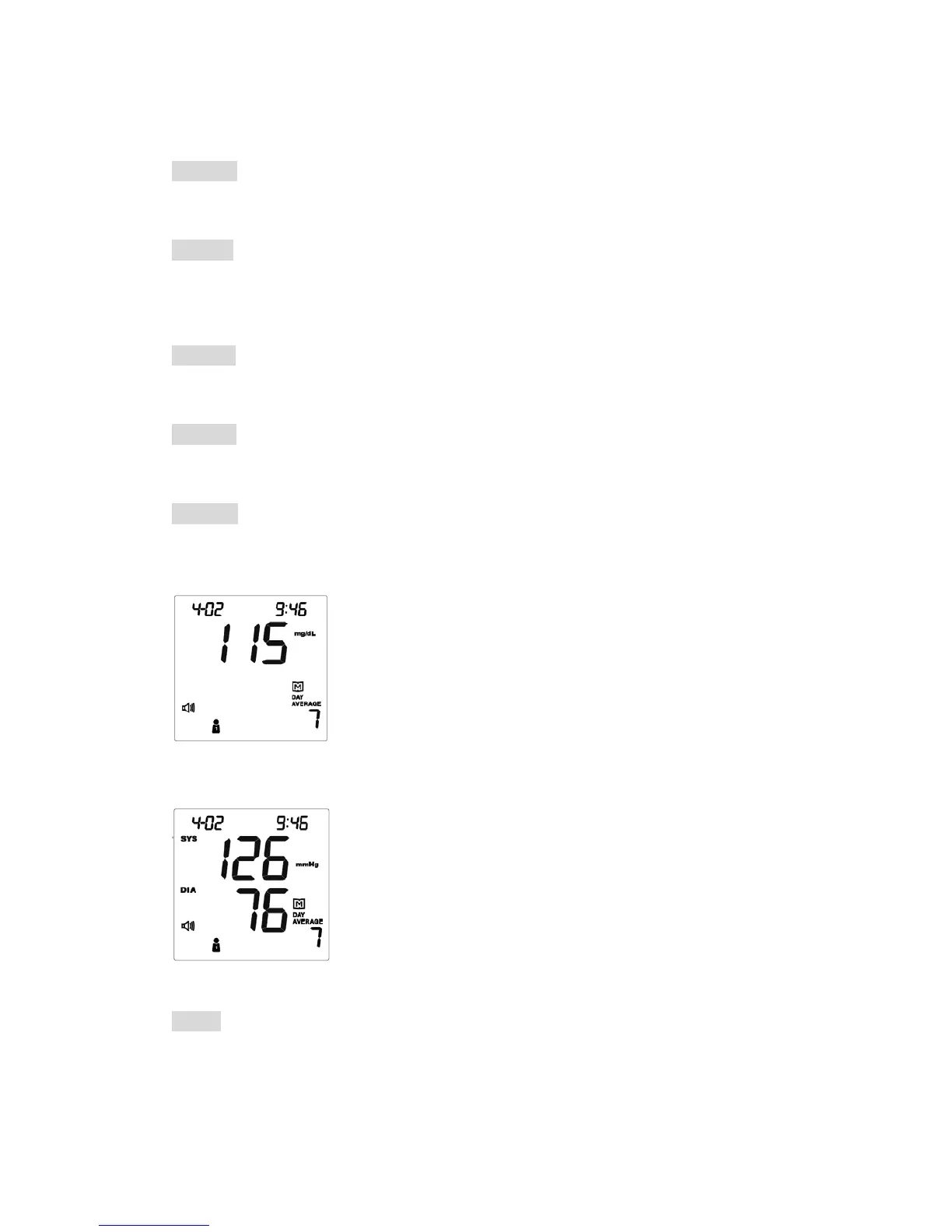
1 The day average of blood glucose tests.
2 The user’s number is 1.
3 The average was calculated from the test results of
the last 7 days.
4 Memory symbol interpretation: The average of user
number 1‘s glucose tests in the last 7 days is 115 mg/dL.
1 The day average of blood pressure tests.
2 The user’s number is 1.
3 The average was calculated from the test results of
the last 7 days.
4 Memory symbol interpretation: The last 7 days
average of user number 1‘s systolic pressure is 126
mmHg and diastolic pressure is 76 mmHg.
NOTE
If you’d like to exit from the memory, press the On/Off button to turn off the
monitor or wait without pressing for 3 minutes for auto-shut down.
47



 To Next Page