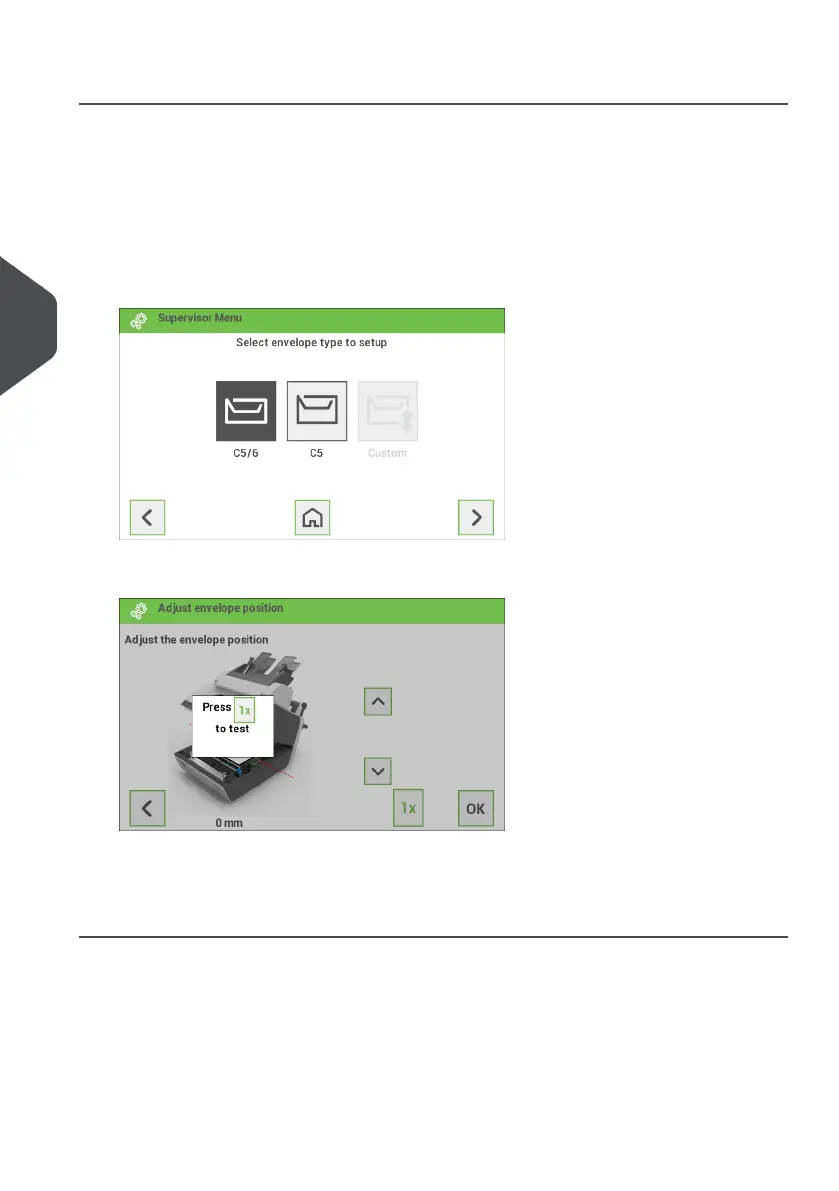
Envelope Position
To make a good insert of the document set into the envelope, the envelope should be
positioned correctly.
To verify the envelope position:
Go to the supervisor menu.1.
2. Tap [Adjust stop position].
3. Choose the envelope type to setup and tap the arrow button.
4. Tap the [1x] button. Make sure that the document set is completely inserted into the
envelope.
5. If not, use the arrow buttons up/down to adjust the envelope position.
6. Repeat step 4 and 5 until the envelope position is correct.
7. Tap the [OK] button.
36
| Page 36 | Jan-15-2019 03:21 | Settings menu
5
English


 To Next Page