Usage | 29
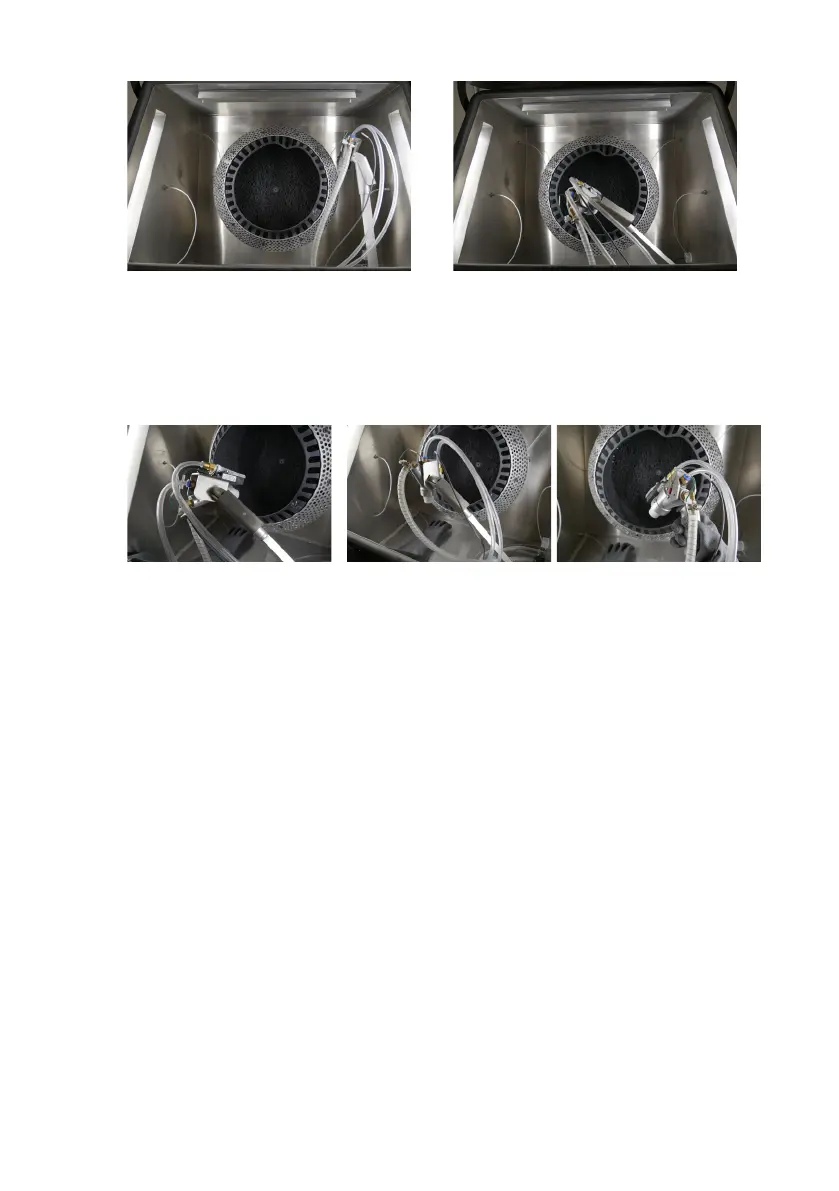
Blast arm in idle position Blast arm in active position
The blast gun can also rotate on the end of the blast arm. Grip and squeeze the locking
lever to release the blast gun. Pivot the blast gun towards the tumbler for the automatic
cleaning position or down to the work surface for the assisted manual position. The blast gun
is removable for hand-held manual operation.
Blast gun in automatic cleaning
position
Blast gun in assisted manual
position
Blast gun being used in hand-
held manual operation
5.3.3 Setting the blasting pressure
Formlabs recommends setting the blasting pressure at 30 psi. Higher blasting pressures are
not required to clean parts, except for parts printed in Nylon 12 GF Powder. Setting the air
compressor pressure above 30 psi may result in damaged parts.
5.3.4 Cleaning printed parts with an automatic cleaning cycle
After extracting printed parts from the powder cake with the Fuse Sift, clean and media blast
printed parts with the Fuse Blast’s automatic cleaning cycle:
To clean printed parts with an automatic cleaning cycle:
1.
Collect printed parts in the supplied transfer container for ease of transportation to the
Fuse Blast.
2. Unlatch and open the Fuse Blast’s chamber door.
3. Move the blast arm to the right into the idle position. The blast arm should be out of the
way of the tumbler.
4. Place the printed parts inside the tumbler basket.
5. Move the blast arm to the front of the chamber in the active cleaning position. Ensure the
blast gun points towards the tumbler basket.
6. Close and latch the blasting chamber door.
7. On the touchscreen, choose the settings for your desired cleaning cycle or use the preset
settings:



 To Next Page