WWW.FOSCAM.COM FI8608W User Manual
the DNS server the same with gateway. H series can’t see the option.
Http Port: The default Lan port is 80.You can set another port number, such as port 8005,
8100.etc.
H series:
User: Default administrator user name is admin
Password: Default password is admin.
M series:
User: Default administrator user name is admin
Password: Default password is null, there is no password.
NOTE: If the prompt “Subnet doesn’t match, dbclick to change!” appears, please enable DHCP
and choose obtain IP from DHCP server or set camera’s IP address and gateway once again.
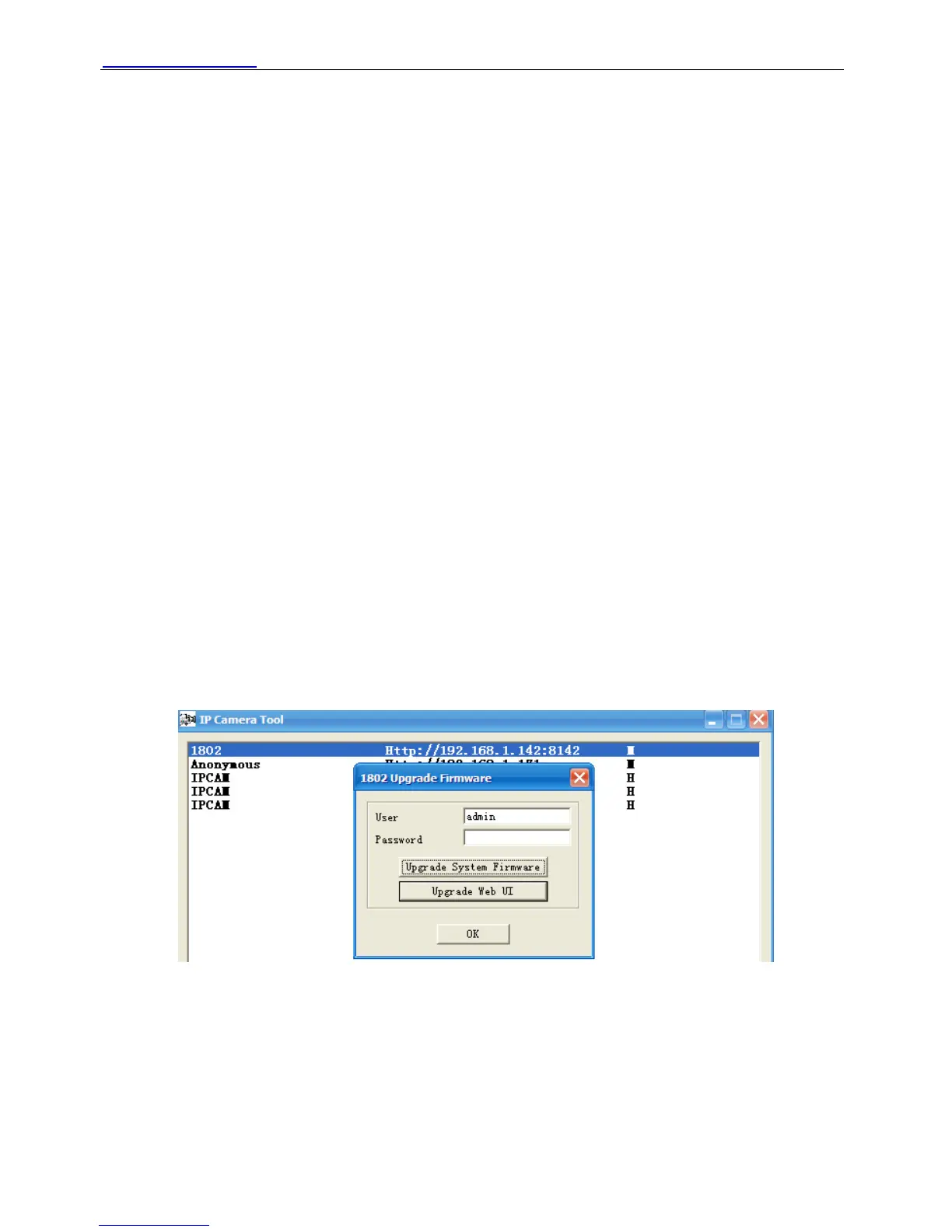
z Upgrade Firmware
Enter the correct User and Password to upgrade system Firmware and Web UI. If you upgrade
the camera, you must upgrade system firmware first and then upgrade web UI. Or it may
damage the camera.
Please download the firmware package under the correct type of your camera before upgrade.
Follow the upgrade documentation in the package carefully to upgrade. Read the readme.txt file
first before you upgrade.
CAUTION: Please don’t upgrade the firmware freely. Sometimes, your camera may be damaged
if configured wrong during the upgrade. If your camera works well with the current firmware, we
recommend not upgrading.
NOTE: 1 If you download the firmware, please check if bytes of the two .bin file are exactly the
same with the size in readme. If it fits, you can upgrade it. If not, please download the firmware
again until the bytes are exactly the same with the official size. Otherwise, your camera will crash
by the firmware which you selected.
Figure 2.6
2 You can not upgrade the software by IP Camera Tool for H.264 series, you can only upgrade
the firmware form the IE.
z Refresh Camera List
Refresh camera list manually.
z Flush Arp Buffer
When wired and wireless of the camera both are fixed IP address. You may encounter an issue
Shenzhen Foscam Intelligent Technology Co., Limited
Tel: 86 755 2674 5668 Fax: 86 755 2674 5168
9



 To Next Page