WWW.FOSCAM.COM FI8608W User Manual
After all settings, click Apply. You will see the following picture, click OK, and re-connect the
camera.
Figure 3.8
RTSP port number: Usually, it is 554. You can set any number between 1024 and 49151 too.
Click Apply and the camera will reboot.
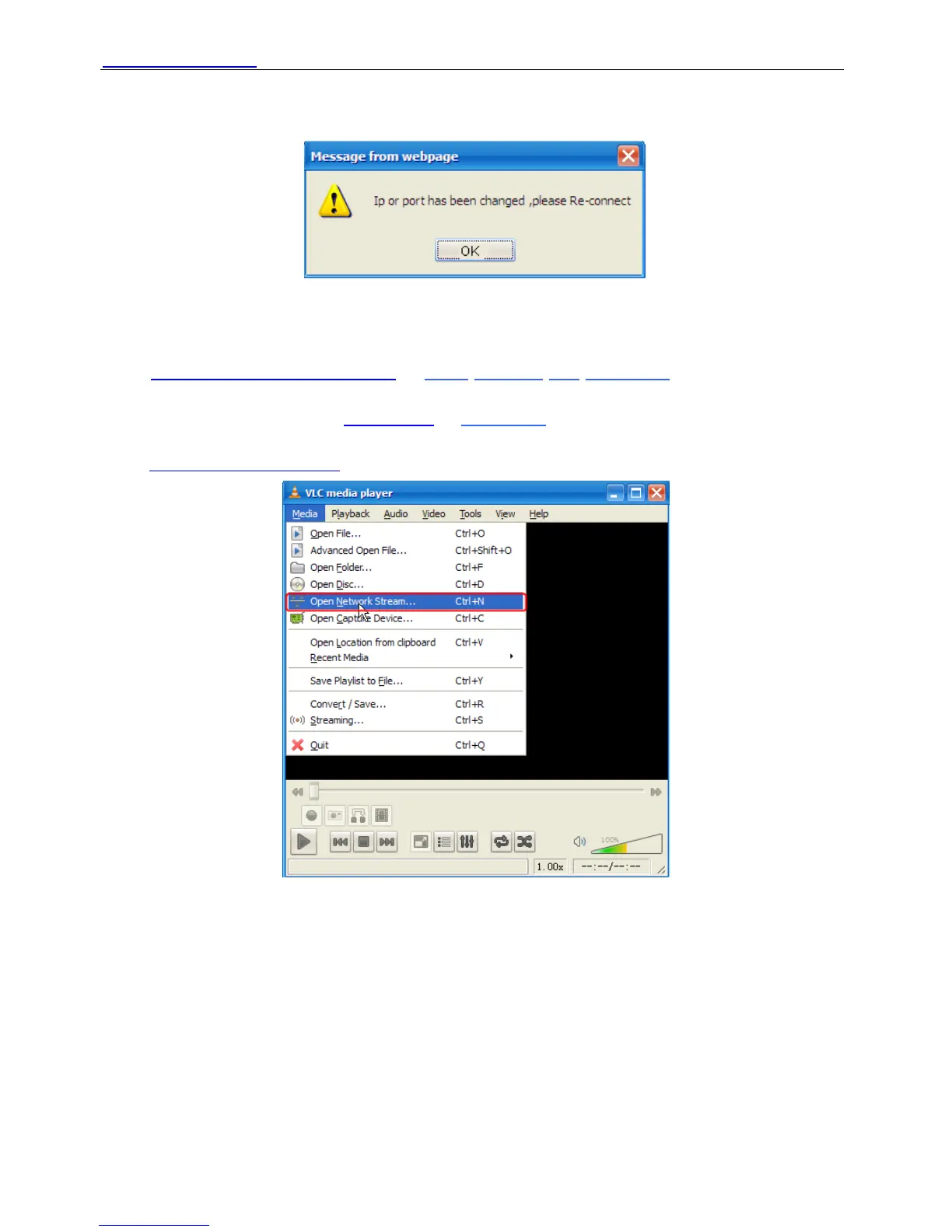
Enter
rtsp:// IP:RTSP port number/11 or rtsp:// IP:RTSP port number/12 into the VLC, you can
see the real-time preview. WAN IP or LAN IP is OK. If the RTSP port number is 554, you can
directly enter the following url:
rtsp:// IP/11 or rtsp://IP/12 . The number “11” shows that you will
use first stream. The number”12” shows that you will use second stream. For example:
Enter rtsp://192.168.11.169/11 in the VLC.
Figure 3.9
Shenzhen Foscam Intelligent Technology Co., Limited
Tel: 86 755 2674 5668 Fax: 86 755 2674 5168
26



 To Next Page