WWW.FOSCAM.COM FI8608W User Manual
3.4.2 Point_to_Point mode
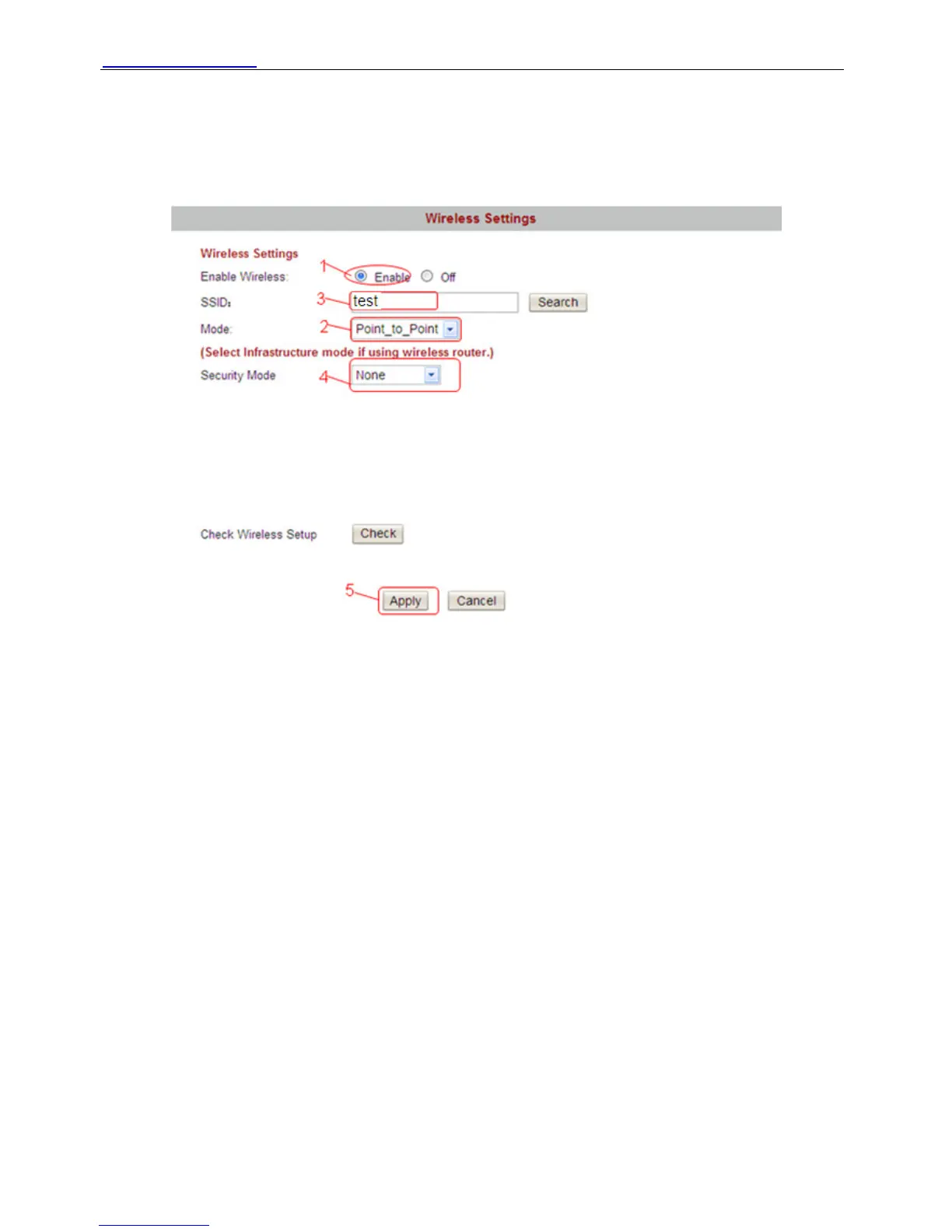
If you want to use the wireless function without wireless router, you can choose Point_to_Point
mode. Make sure the PC has wireless network card.
First Enable wireless and choose Point_to_Point mode.
Figure 3.21
Fill in a SSID. Then set the security mode, you can choose none or others and click Apply.
Plug out the network cable of the camera and then re-plug the power. You can search the
camera again in the IP Camera Tool. Open the wireless network card of PC and search the SSID
you have filled. You can find it as the following picture:
Shenzhen Foscam Intelligent Technology Co., Limited
Tel: 86 755 2674 5668 Fax: 86 755 2674 5168
32



 To Next Page