WWW.FOSCAM.COM FI8608W User Manual
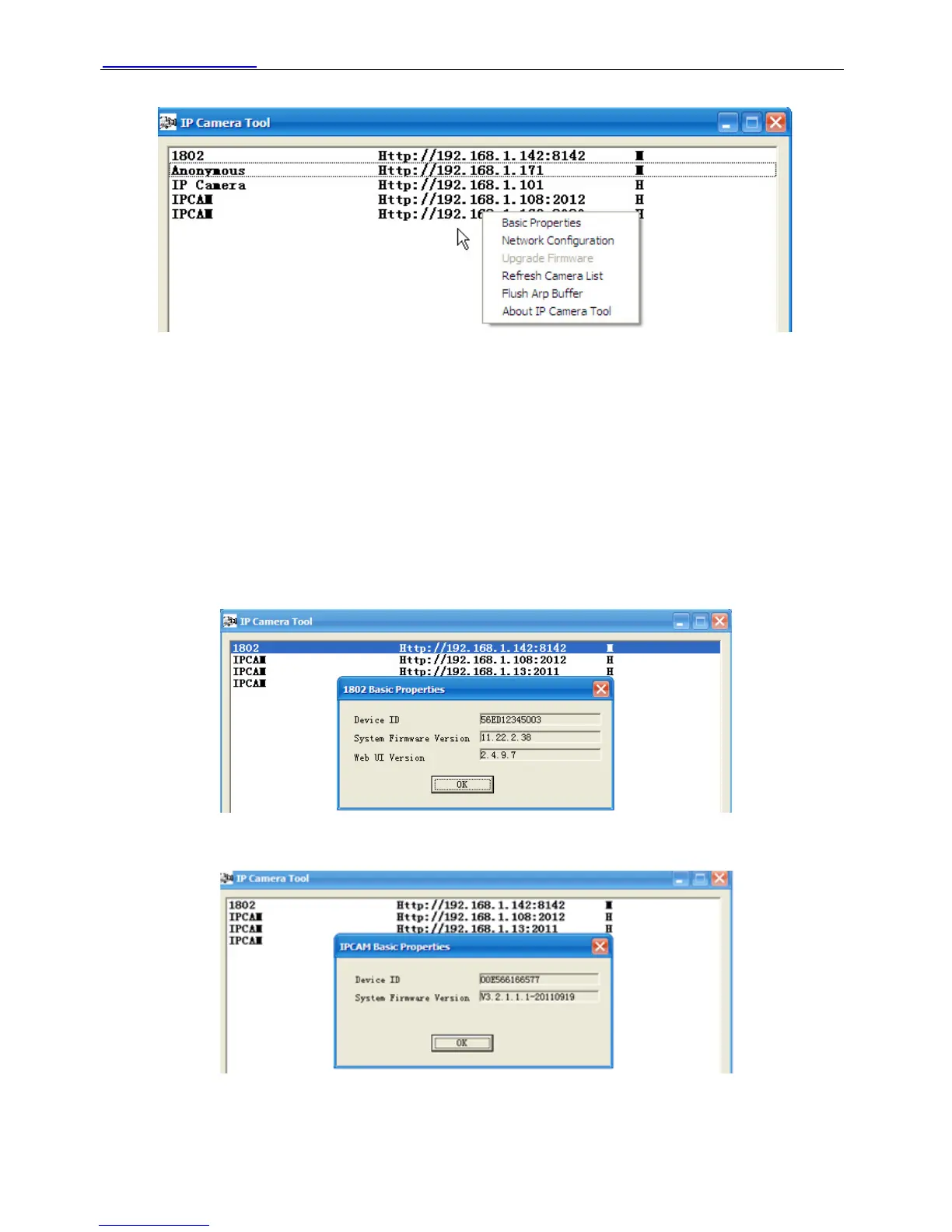
Tool as shown Figure 2.2.
Figure 2.2
z Basic Properties
There are some devices information in the Basic Properties, such as Device ID, System
Firmware Version, and Web UI Version. (Figure 2.3)
If there are several cameras on the list, you can choose basic properties to check the device ID
and recognize the IP address, belong to which camera you set up, For example Device ID is
00606E8C5058, the same MAC ID sticker is found at the bottom/back of the camera.
Each camera has its own MAC ID. Sometimes, if camera’s IP is not found on the IP Camera Tool.
The firewall may be blocking it, therefore you can add this MAC ID to your router and give it a
fixed IP or add the MAC ID as a trusted site.
Figure 2.3a
Note: H series doesn’t have Web UI Version.
Figure 2.3b
Shenzhen Foscam Intelligent Technology Co., Limited
Tel: 86 755 2674 5668 Fax: 86 755 2674 5168
7



 To Next Page