WWW.FOSCAM.COM FI8918/FI8918W User Manual
: Click this icon, all the IR lights will turn on. Click to turn off them.
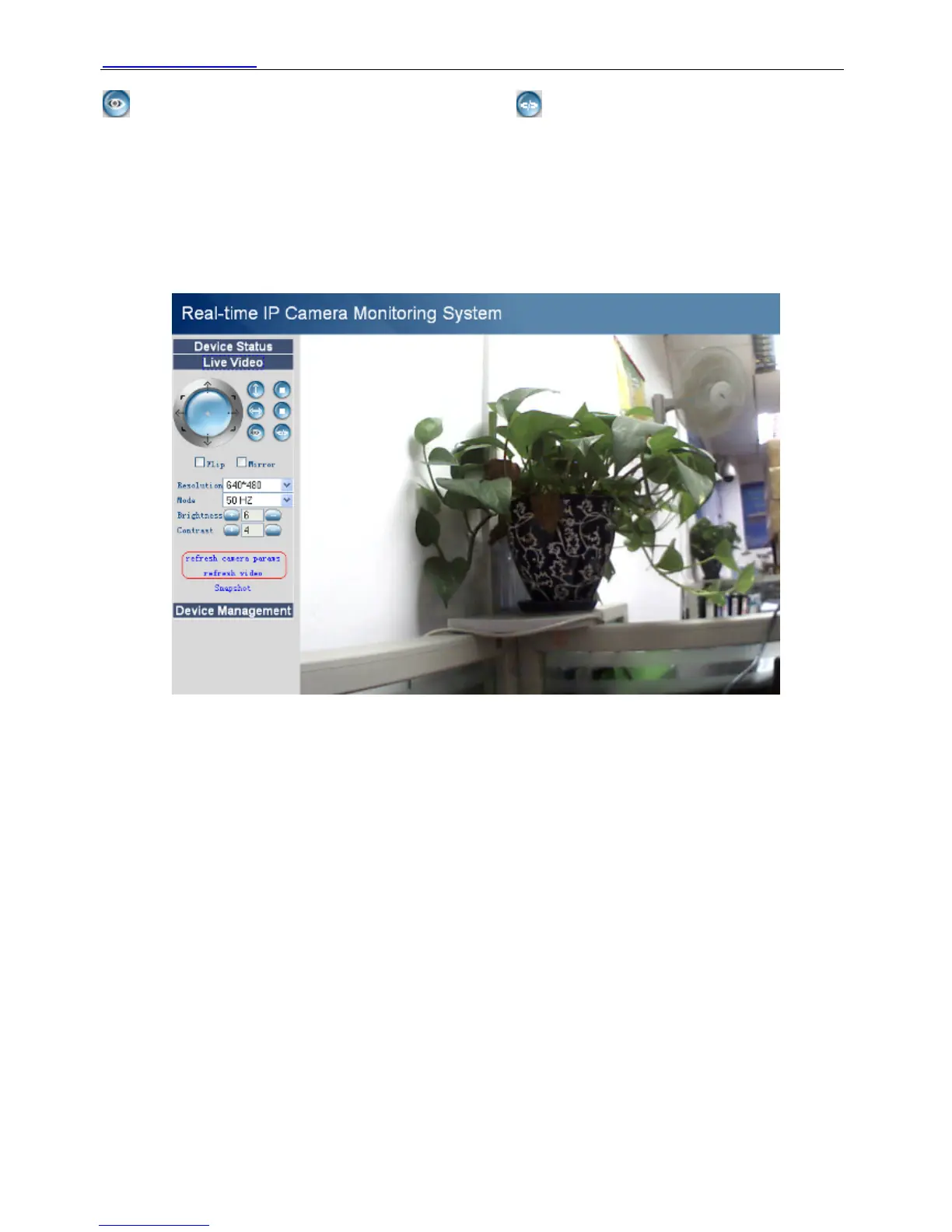
Flip & Mirror: You can choose flip or mirror if you set up the camera in a special position.
Mode: There are three modes. (50HZ, 60HZ and outdoor)
Brightness and Contrast are also used to adjust the quality of the video.
For Firefox, Google chrome and safari
Click Live Video. You can see the difference from IE and Firefox.
In IE, there is a button for default all the settings. In Firefox, the snapshot button is under for
operator. Add the other two function; refresh video and refresh parameters. (Figure 2.20)
Figure 2.20
2.6 For Administrator
For IE browser
Click For Administrator. You will see the Device Status.
It contains device ID, firmware version of the camera and other status of the camera.
Shenzhen Foscam Intelligent Technology Co., Limited
Tel: 86 755 2674 5668 Fax: 86 755 2674 5168
17



 To Next Page