WWW.FOSCAM.COM FI8918/FI8918W User Manual
google chrome, it is impossible to find these options.
3 How to do settings in For Administrator
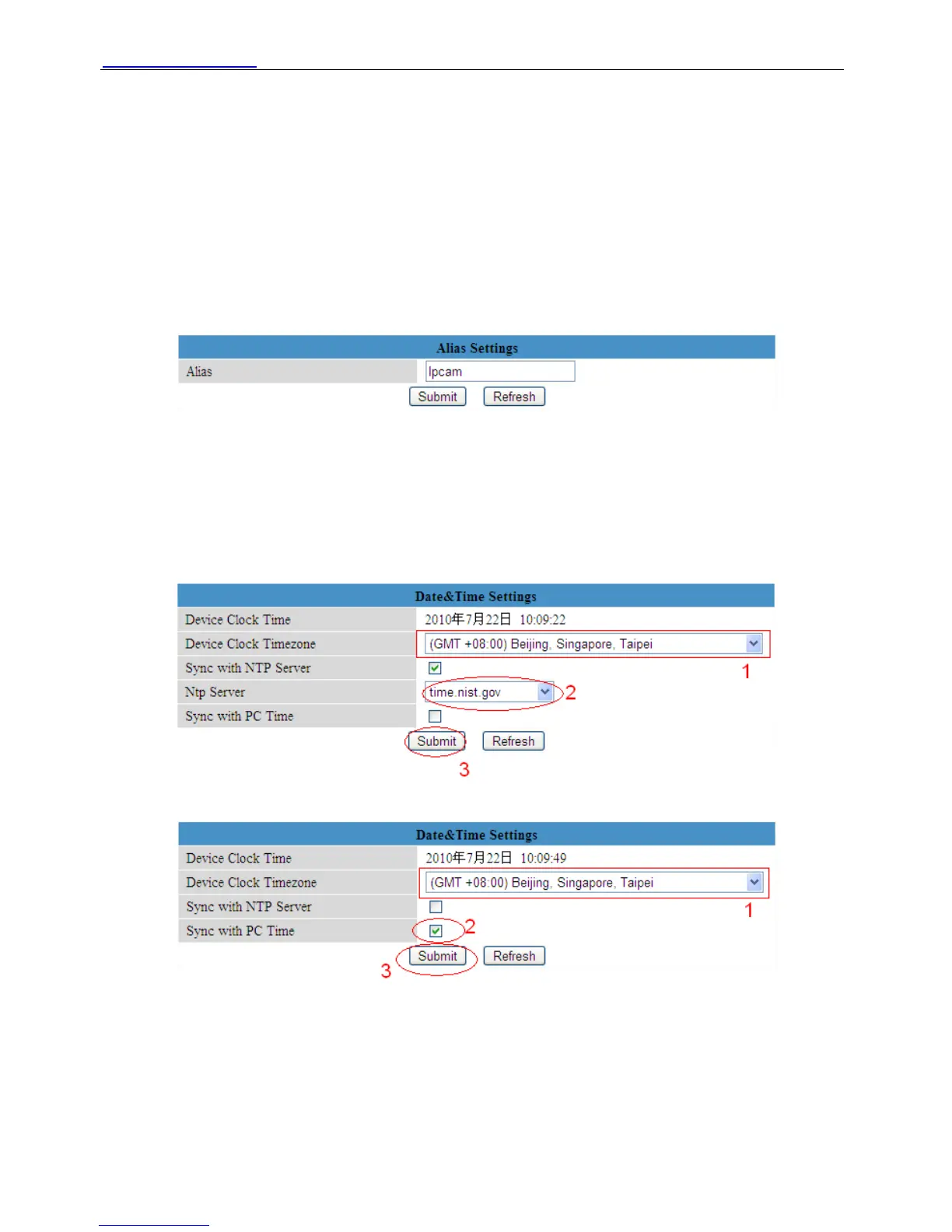
3.1 Alias Settings
Default alias is anonymous. You can set a name for your camera here. Such as Ipcam, then click
Submit after change this.
Figure 3.0
3.2 Date & Time Settings
Choose clock timezone of your country. You can choose Sync with NTP Server (Figure 3.1) or
Sync with PC Time. (Figure 3.2)
Figure 3.1
Figure 3.2
3.3 User Settings
You can set permission for visitor, operator and administrator.
Click Submit after finish these settings. The camera will reboot.
Shenzhen Foscam Intelligent Technology Co., Limited
Tel: 86 755 2674 5668 Fax: 86 755 2674 5168
19



 To Next Page