WWW.FOSCAM.COM FI8918/FI8918W User Manual
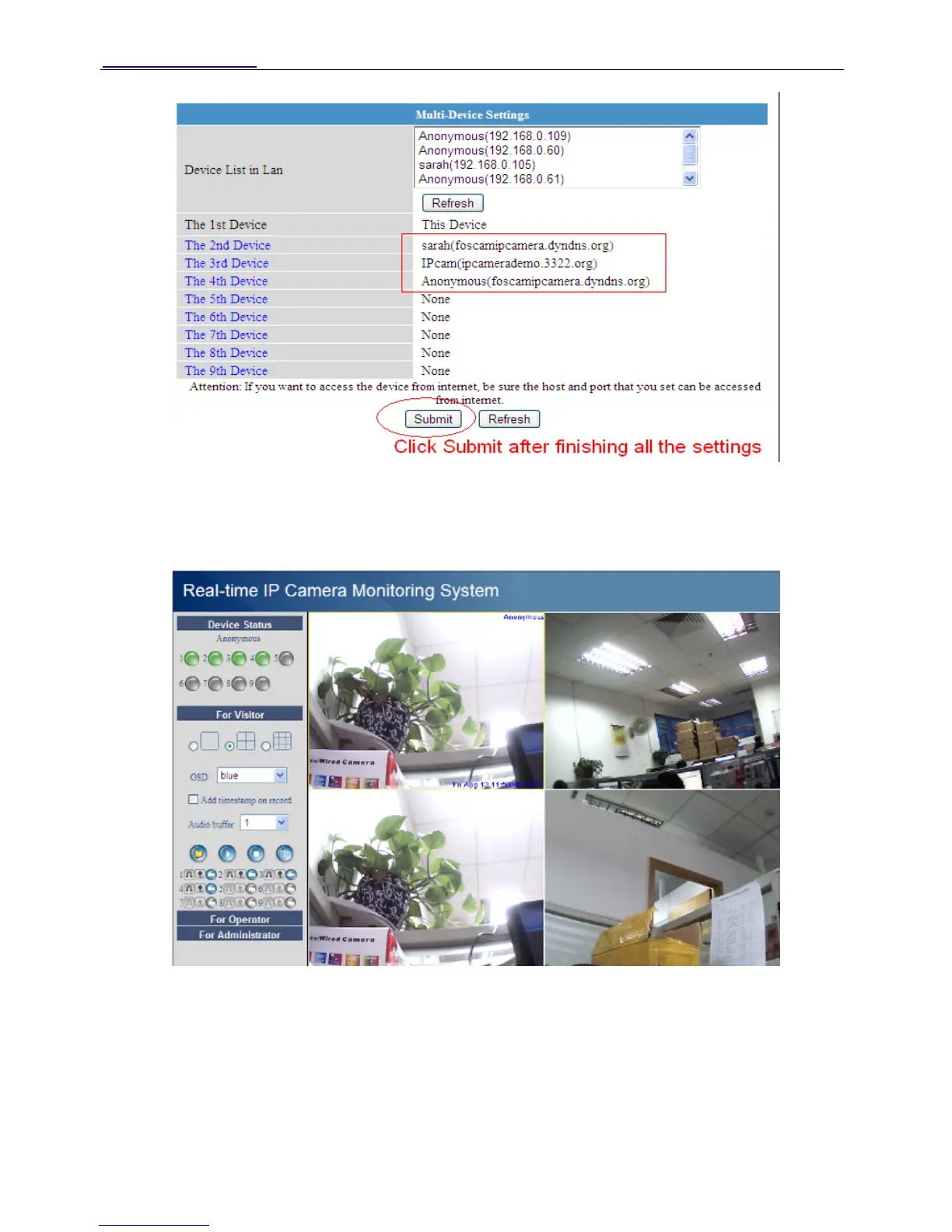
Figure 3.10
Go back to video window. You will see all of the cameras in internet.
When you out of town, you can use the first camera’s DDNS domain name and port to view all
the cameras via internet.
Figure 3.11
3.5 Basic Network Settings
If you want to set a static IP for the camera, you need set Basic Network Settings. Keep the
camera in the same subnet of your router or computer.
Shenzhen Foscam Intelligent Technology Co., Limited
Tel: 86 755 2674 5668 Fax: 86 755 2674 5168
24



 To Next Page