www
www
.foscam.co
.foscam.co
m
m
Shenzhen
Shenzhen
Foscam
Foscam
Intelligent
Intelligent
Technology
Technology
Co.,
Co.,
Limited
Limited
Tel:
Tel:
86
86
755
755
2674
2674
5668
5668
Fax:
Fax:
86
86
755
755
2674
2674
5168
5168
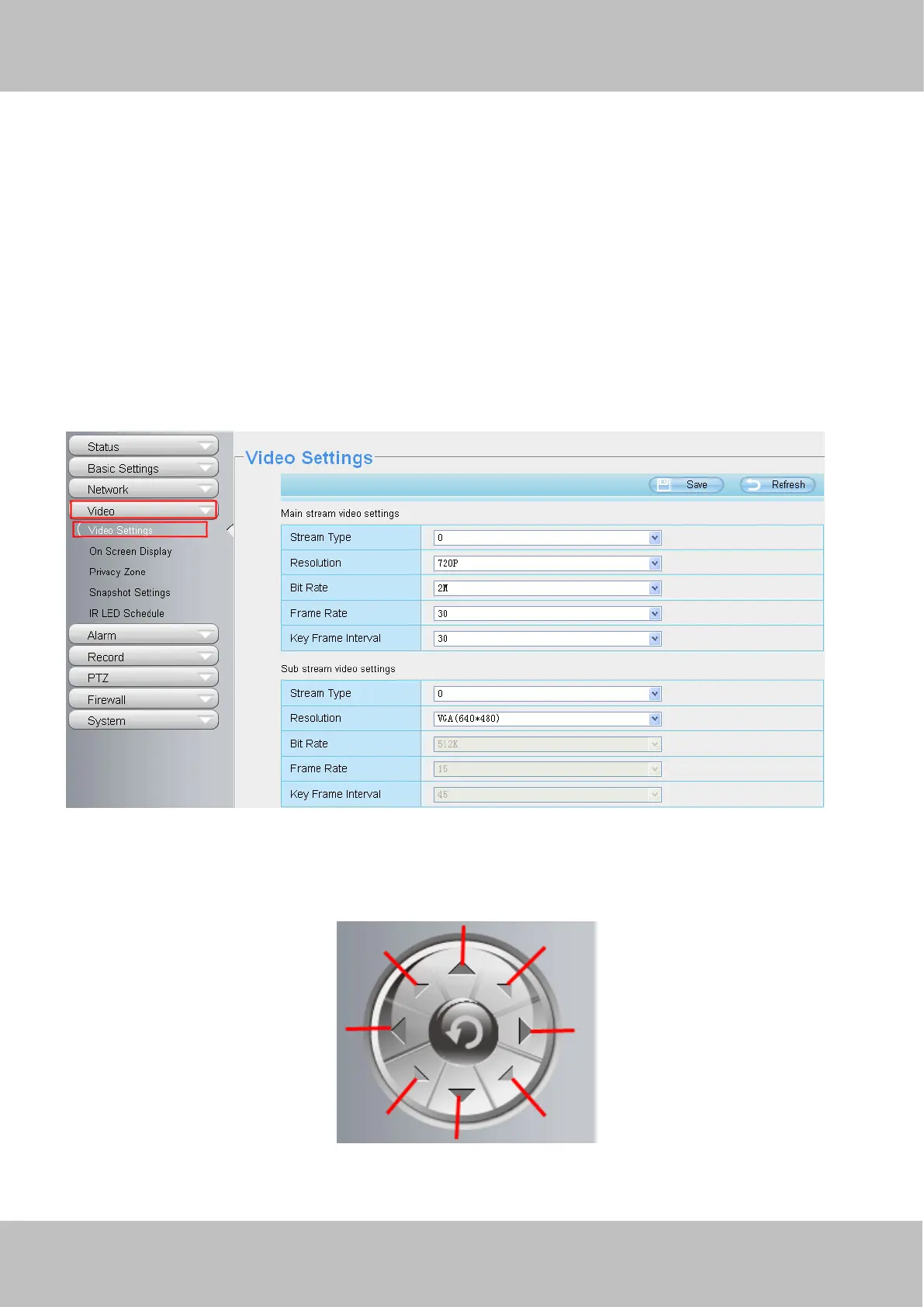
2) 720P/ VGA
There are two resolutions, the bigger one is 720P, and the smaller one (VGA) is 640x480 pixels. The bigger the
resolution, the better of the image quality is. If you are accessing the camera via internet and want to get more fluent
video streaming, please select resolution VGA.
3) Maximum frame rate
When the video format is 50Hz, the maximum frame rate is 25 fps. When the video format is 60Hz, the maximum frame
rate is 30 fps. You should lower frame rate when the bandwidth is limited. Normally, when the frame rate above 15, you
can achieve fluently video.
4) Bit rate
Generally speaking, the larger the bit rate is, the clearer video will become. But the bit rate configuration should
combine well with the network bandwidth. When the bandwidth is very narrow, and bit rate is large, that will
lead to video cannot play well.
You can reset the stream type on “Settings-> Video-> Video Settings” panel.
Section4 Pan/Tilt Control( only F9805E have this section)
When via RS485 interface to connect an external PTZ device, you can use this feature.
1------Up control button, 2------Down control button,



 To Next Page