www
www
.foscam.co
.foscam.co
m
m
Shenzhen
Shenzhen
Foscam
Foscam
Intelligent
Intelligent
Technology
Technology
Co.,
Co.,
Limited
Limited
Tel:
Tel:
86
86
755
755
2674
2674
5668
5668
Fax:
Fax:
86
86
755
755
2674
2674
5168
5168
no video image. You can resolve this problem by this way:
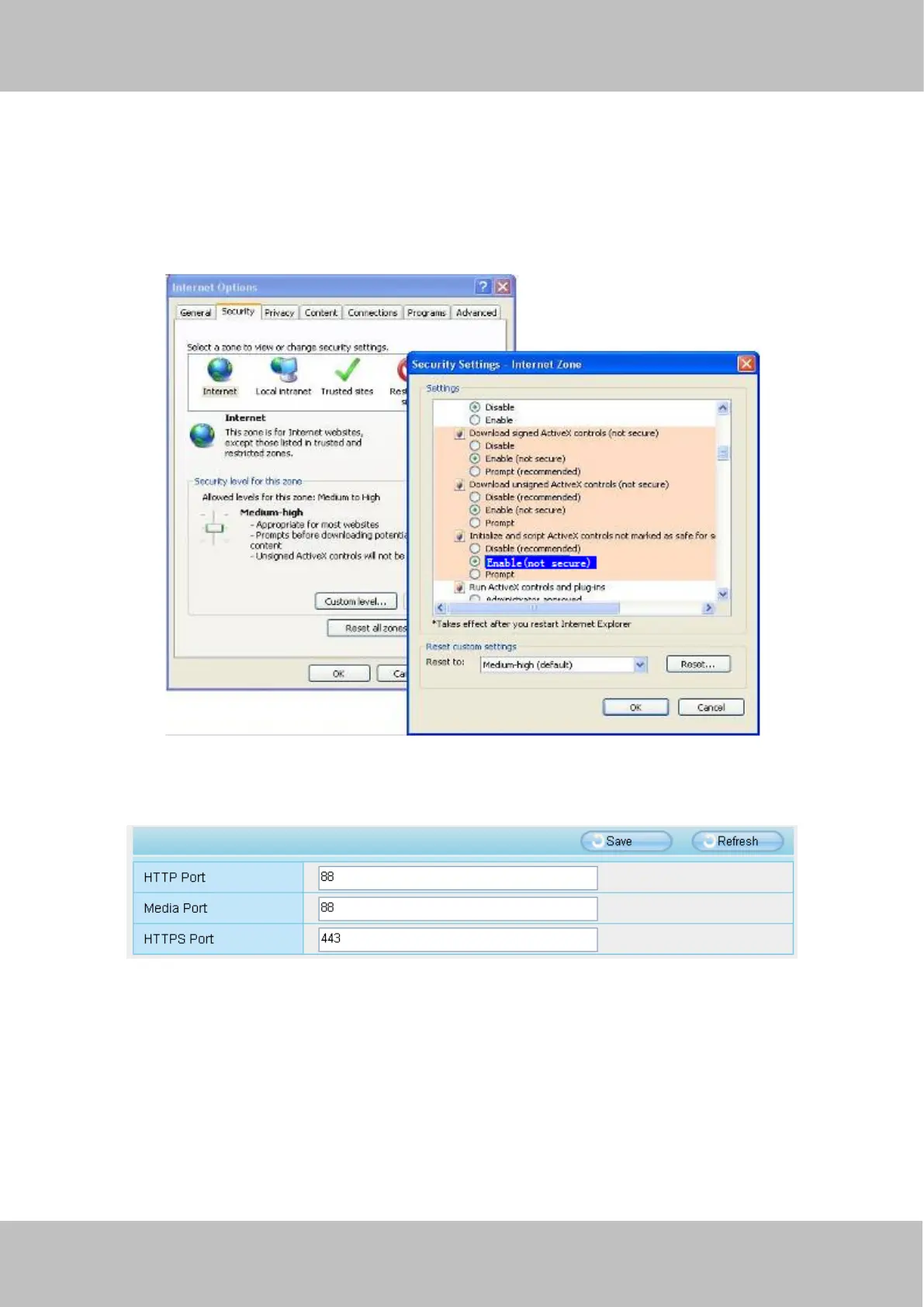
Download ActiveX controller and set the safety property of IE in the PC when you view it first time: IE
browser--Tool--Internet Proper--Security--Custom Level--ActiveX control and Plug-ins. Three options of front should be
set to be “Enable”, The ActiveX programs read by the computer will be stored. As follows:
Enable: Download unsigned ActiveX controls
Enable: Initialize and script ActiveX controls not marked as safe
Enable: Run ActiveX controls and plug-ins
Figure 7.6
If you allow the ActiveX running, but still could not see living video. Please change another port number to try. Don’t
use port 8000.
Figure 7.7
NOTE: Make sure that your firewall or anti-virus software does not block the camera or ActiveX. If you could not see
video, please shut down firewall or anti-virus software to try again.
8.1.7 Can’t access IP camera in internet
There are some reasons:
1 ActiveX controller is not installed correctly



 To Next Page